You’ve worked really hard on your website. Your content is superb, your pages load fast, and your on-page SEO looks neat. But all of a sudden, your traffic dropped. Is it something you recognize? Your website might not be the cause of the problem. It may be included in the results of your backlink audit.
Toxic backlinks are links that point directly to your website from questionable, spammy, or low-quality domains. They interfere with your search visibility and deceive Google about your reliability. A spammy link profile may gradually cause your rankings to drop.
Understanding your referring websites and eliminating bad links is one of the best things you can do for your SEO health.
What Are Toxic Backlinks, and Why Do They Matter?
Think of the internet as a single, enormous competition for fame. However, this is not your typical battle for popularity. Trust is the cornerstone of Google’s search engine popularity contest. A link to your website from another website is seen by Google as an endorsement.
Each vote has a different weight, though. Some votes have the potential to harm you. That’s precisely what a damaging backlink is.
It’s a link from a website that Google already doesn’t trust, and when that website recommends you, your reputation suffers.
Bad backlinks can come from a variety of sources, including hacked websites, spam-filled websites, link farms, and Private Blog Networks (PBNs). These websites have no editorial value. Nobody comes to visit them. Their sole purpose is to transmit links.
Google knows this. When it detects those websites referring to yours, it also sounds an alarm. As a result, your search visibility decreases. Low-quality inbound links are important since Google’s entire ranking method is predicated on the idea that links = trust. If you interfere with that trust signal, a vital part of your SEO foundation is jeopardized.
| Type of Toxic Backlink | Example | Why It’s Harmful |
| Link Farm | Sites with hundreds of outbound links per page | Google flags these as manipulative |
| PBN Links | Fake blog networks built to pass link juice | Violates Google’s guidelines directly |
| Hacked Site Links | Links from compromised websites | Associated with malware and spam |
| Irrelevant Directories | Low-quality foreign directories | No topical relevance, zero trust |
| Paid Links | Links bought without a nofollow tag | Classified as a link scheme by Google |
How Toxic Backlinks Damage Your Rankings
This is the important portion. Google doesn’t simply disregard a fake link profile when it finds one. It reacts to it. In 2012, Google unveiled the Penguin algorithm, which it integrated into its primary algorithm in 2016. It was created to specifically address abnormal connection patterns.
Before Penguin, it was sufficient to affect results by building thousands of cheap backlinks. Penguin changed all of that. These same tactics can now penalize or bury your website in search rankings.
There are two methods by which Google might penalize your website for bad links. The first is a punishment for manual action. This happens when a real Google employee assesses your website and concludes that your link profile seems manipulative.
Google Search Console will immediately display a notification. A Penguin algorithmic filter is the second. This time, it’s quieter. Not a single word. Your ranks just drop after a core upgrade, and you’re left wondering why.
Both types of damage lower your search visibility and don’t go away without your help.
| Type of Penalty | How It Happens | How do you find out | How to Fix It |
| Manual Action | Google reviewer flags your site | Search Console notification | File a reconsideration request |
| Algorithmic (Penguin) | Pattern of unnatural links detected | Sudden ranking/traffic drop | Clean up links, wait for next crawl |
| Negative SEO Attack | Competitor floods your site with spam links | Spike in toxic referring domains | Monitor, disavow, document |
Signs Your Site Has a Toxic Backlink Problem
Early detection of the warning signals can save you months of recuperation time. The most noticeable indicator is an abrupt, inexplicable decline in organic traffic that coincides with a change in Google’s algorithm. Bad links are worth looking into if your rankings were steady until plummeting immediately following a Penguin or core update.
An increase in your referring domains from unrelated websites is another indication. You can’t overlook a warning sign when a gardening blog suddenly receives hundreds of referrals from online casinos.
Another silent killer is the dilution of authority. This occurs when you receive so many links from dubious websites that your link profile as a whole begins to appear artificial. Google considers the quality of all of your backlinks, not just the best ones.
Additionally, your stronger links lose some of their impact if your spam score rises due to an excessive number of negative websites pointing at you. Regularly check your Google Search Console links report.
You should take a closer look at any abrupt changes in the volume or pattern of your incoming links.
How to Identify Toxic Backlinks in Your Profile
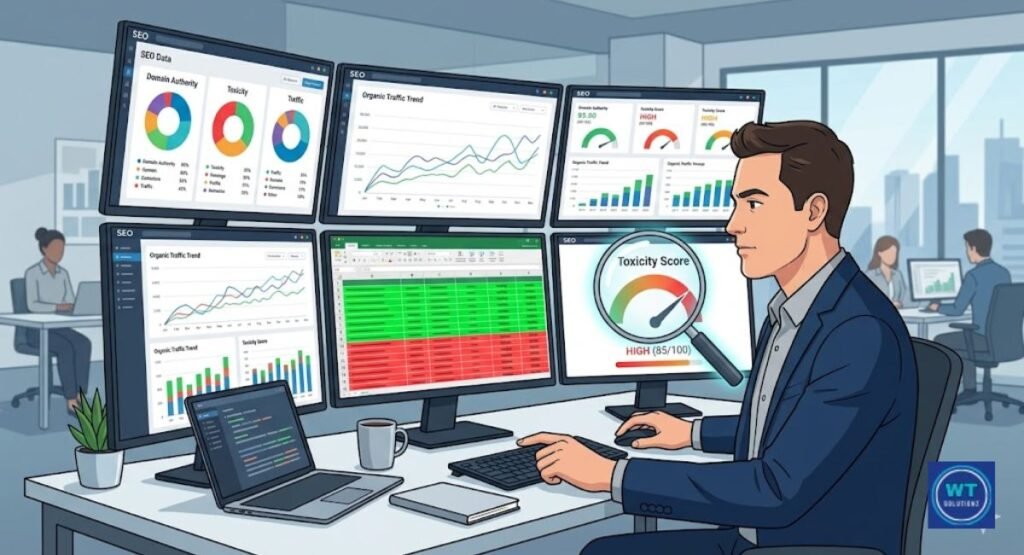
You cannot solve an issue that you’ve not yet identified. A thorough backlink audit is the first step in any significant cleansing attempt. This entails gathering all of the links that lead to your website and sorting them to separate the good from the poor. It seems like a lot of work.
To be honest, it can be. However, if you neglect this stage, you’re flying blind, which is risky when it comes to SEO. Both manual checks and tool-based data should be included in your audit. You don’t get the whole picture from either one alone.
Because it’s free and extracts information directly from Google’s own index, start with Google Search Console. Open your complete links report in a spreadsheet, export it, and begin searching for trends. Do you have a lot of links coming from the same dubious domain? Do a lot of your links have the same generic anchor text? Do links originate from websites in entirely different industries?
Google reviewers and computer filters specifically search for these patterns. You’ll know where to go further once you’ve identified the patterns.
Using a Toxic Backlink Checker
A tool that examines your backlink profile and highlights links that appear dubious or dangerous is called a toxic link checker. This is integrated into the majority of expert SEO tools. To help you organize and prioritize your cleanup efforts, they give each connecting domain a toxicity or spam score.
Although using one of these tools greatly expedites the process, especially if you have thousands of backlinks to review, it does not substitute your own judgment.
Here’s a brief overview of the most popular tools for identifying malicious backlinks:
| Tool | Key Feature | Cost |
| Google Search Console | Direct data from Google | Free |
| Ahrefs | DR score + spam flag per domain | Paid |
| SEMrush | Dedicated backlink audit with toxicity score | Paid |
| Moz Link Explorer | Domain Authority + spam score | Free/Paid |
| Majestic SEO | Trust Flow vs Citation Flow analysis | Paid |
Each tool calculates toxicity in a somewhat different way. Thus, a link that Ahrefs flags may not receive the same SEMrush score. Because of this, you can generate a more accurate image by combining two tools. Cross-check your findings and concentrate on areas that several tools concur as suspicious.
Your true targets are those.
Manual Identification Techniques
You get numbers and scores from tools. However, there are instances when your eyes are the most effective way to identify harmful links. Go to the website that a tool labels as suspicious. Take a peek at it by opening it in your browser.
Just ask yourself one straightforward question:
“Would a genuine person ever come to this page in search of helpful information? A negative response is a clear indication that the connection is poisonous.
When you physically examine a questionable website, there are certain things to check for. A legitimate website contains a decent About page, a privacy policy, authentic contact information, and real content. Typically, a spam website lacks all of that.
It either loads slowly, appears broken, has walls of text filled with keywords, or simply reroutes to another page. Verify the page’s number of outgoing links. A link system most likely includes a single page with hundreds of links pointing to other websites.
Additionally, use a WHOIS query to determine the age of the domain. A common indicator of a PBN or link farm created solely to manipulate rankings is brand-new domains with hundreds of referring pages.
Understanding the Anatomy of a Toxic Backlink
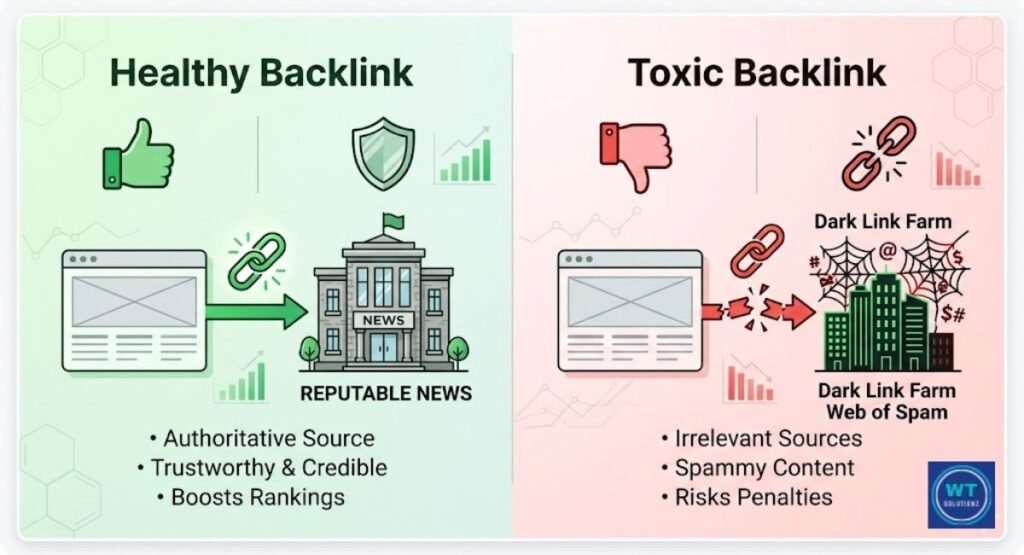
Not all links with low Domain Authority (DA) are harmful. Many people make that error. Even with a low DA, a small local blog can still be a credible and useful website. Authority scores aren’t the only factor in toxicity.
It’s about the complete picture of the link, including its origin, placement, anchor text, and purpose. You can make better selections during your cleanup if you are aware of these factors.
One of the most obvious signs of an artificial link profile is the diversity of the anchor text. Google becomes suspicious when all of the links to your website contain the same keyword phrase as the anchor text. That’s not how natural linkages appear.
Authentic editors use partial phrases, your brand name, your URL, or simply “click here” to link to your website.
Dozens or hundreds of links with the same anchor text are frequently included in a spammy link profile. For Google’s systems, that pattern screams tampering.
What distinguishes a poisonous backlink from a good one is broken down here:
| Element | Healthy Backlink | Toxic Backlink |
| Source Site | Relevant, established, real audience | Link farm, PBN, hacked |
| Anchor Text | Varied, branded, natural | Exact-match, repetitive |
| Link Placement | Inside real editorial content | Footer, sidebar, hidden text |
| Linking Intent | Earned, editorial | Paid, automated, manipulative |
| Link Velocity | Gradual growth over time | Hundreds appearing overnight |
| Domain Rating (DR) | Moderate to high, real traffic | Near-zero, no real visitors |
How to Handle Toxic Backlinks: A Step-by-Step Methodology
It’s not enough to identify dangerous backlinks. Most people struggle with knowing what to do next. Fortunately, if you follow the correct order, the process is simple. Do not immediately use the Google Disavow Tool.
That is not the first stage, but the final one. First, try eliminating the source’s links. Although it requires more effort, Google values the clarity of this approach.
Here is a detailed explanation of the entire process:
Step 1: Use Google Search Console and one premium tool, such as Ahrefs or SEMrush, to perform a thorough backlink audit. Export the data to a spreadsheet when all referring domains have been retrieved.
Step 2: For every domain, create three categories. One column is used for secure links. There is a separate section with links that require further investigation. Links that are clearly risky are included in a third.
Step 3: Set priorities based on impact and volume. You shouldn’t be overly concerned about a single dubious link from a small website. 300 bogus links are sent to you by a domain. The high-volume, hazardous sources should be addressed first.
Step 4: Request that the links be removed. Use the contact page of the hazardous website or a WHOIS query to find the owner’s email address. Ask them to take down the link in a brief but courteous email. Be professional at all times. Every outreach attempt should include a record of the date, the email address you used, and any answer you got.
Step 5: Hold off on escalating for two to four weeks. Some webmasters are slow to respond. Give them a fair amount of time before moving forward.
Step 6: Add to your disavow file any domain that has never responded and that you believe could be dangerous. To upload this file to Google, use Search Console.
Each step may be documented using a simple spreadsheet that has columns for the domain, its toxicity score, your outreach date, the response, and its disavow status. This documentation is crucial.
If Google ever does a human evaluation of your website, having a clear and thorough cleanup log would be quite beneficial.
The Disavow File: A Strategic Last Resort
One useful tool is the Google Disavow Tool. Like any strong tool, it needs to be handled with caution. You can tell Google to disregard specific connections when evaluating your website by providing a disavow file.
Google does not remove the URLs from the internet. It just stops counting them against you. Despite its apparent simplicity, the execution requires a high level of precision. You run the danger of losing any authority you’ve established if you inadvertently reject a legitimate connection.
Most websites don’t require the disavow option, according to Google experts like John Mueller. Google has made great progress in identifying and rejecting naturally occurring low-quality connections.
The disavow tool becomes crucial when you’re submitting a reconsideration request following a manual action penalty for unnatural links or when you’re the subject of a negative SEO attack, and your link profile is quickly filling with trash. In both cases, the instrument is your safety valve.
This is how a properly constructed disavow file appears:
# Disavow file for yourdomain.com
# Last updated: [Date]
# Reason: Toxic domains from link farms and PBN networks
domain:spammydomain1.com
domain:linkfarm-example.net
domain:pbn-network99.xyz
To submit this file, use the Legacy Tools section of Google Search Console. The recuperation period varies after submission. You will often receive a response within a few weeks if you submit a request to rethink a manual action.
Google recrawls and reprocesses your website during algorithmic recovery through Penguin, which may take several weeks to several months.
Building a Fortress: Proactive Strategies to Prevent Future Toxicity

Removing harmful backlinks is a reactive procedure. Sometimes it’s necessary, but it wears you out. Creating procedures that stop the issue from growing worse in the first place is a superior long-term strategy. Examining your link profile is the best habit you can form as an SEO specialist or website owner.
Set up a reminder to check your backlink statistics every thirty days. A small problem is ten times easier to fix than one that has grown into a flood.
Make Google Alerts using your brand name and keywords like “links” or “SEO.” This lets you know ahead of time if someone starts talking about your link profile online. When new referring domains are added to your website, you can set up alerts using Ahrefs or SEMrush.
This implies that you should find out about new connections as soon as they start, rather than months later, after the harm has already been done. The state of a link profile is an ongoing issue.
Like upgrading your content or keeping an eye on the speed of your website, it’s an ongoing effort.
The following crucial precautions should be taken by every site owner:
- Examine your full backlink profile every 30 days.
- Set up automated alerts for newly referred domains in Ahrefs or SEMrush.
- Never purchase links from dubious or unreliable sources.
- To improve your link profile, offer genuine content, genuine outreach, and genuine contacts.
- Keep your anchor text’s diversity natural from the start.
- Keep track of every activity you do to develop links in order to preserve an optimal record.
- Check your Moz spam score at least once every quarter.
- Stay informed about Google’s algorithmic filters and Penguin updates.
Now that AI-powered search engines use Knowledge Graph signals and Generative Engine Optimization (GEO) to evaluate content and authority, maintaining a clean backlink profile is even more crucial.
AI-driven search engines perform better than previous techniques when it comes to recognizing trust signals. These days, having a neat, natural link profile might help you in ways other than Google. It positions your website favorably for upcoming search trends.
Read Also:
How to Perform a Content Gap Analysis
How to Submit an XML Sitemap to GSC
Why are internal links important for SEO
How to Identify Conversion Killers Through an SEO Audit
What Is the Difference B/W SEO Analysis and an SEO Audit
FAQs:
Do toxic backlinks always hurt my Google rankings?
Not every time. Google frequently overlooks poor connections on its own. However, the rating may drop if there is a noticeable pattern of low-quality backlinks emerging rapidly.
How many toxic backlinks are too many?
The sum is not set in stone. It all boils down to your profile’s ratio of favorable to negative links. If your referring sites have a lot of bad links, your rankings start to drop.
Can a competitor build toxic links to my site on purpose?
It is referred to as a negative SEO attack, and it does happen. If someone sends hundreds of fraudulent links to your website, you can be penalized. Proactive monthly monitoring is therefore essential.
Should I disavow every toxic backlink I find?
No. If you wish to remove links, give outreach top priority. Use the Google Disavow Tool only for domains that are genuinely impossible to remove and clearly hazardous.
How long does recovery from a toxic backlink penalty take?
Within a few weeks, a one-month annual action penalty may be removed in response to a clean reconsideration request. Algorithmic recovery for the Penguin algorithm usually takes one to three months.
Is the Google Disavow Tool still useful in 2025 and 2026?
Yes, but only in dire situations like a manual action penalty or a targeted negative SEO attack. Google now manages most low-quality connections on its own. Use the gadget only when absolutely required.
Final Thoughts
Your Google results may eventually be impacted by toxic backlinks, but the degree of damage will depend on how bad the problem is and how soon you resolve it.
Every website will inevitably have a few dangerous links.
The internet operates in this manner. A few broken links do not mean that your website is doomed. It suggests that you should monitor your profile closely and take appropriate action if a discernible pattern of injuries starts to appear.
Your best long-term strategy isn’t cleanup. Included are careful, routine inspections and preventive actions. Use real connections and content to establish connections.
Make sure your anchor text is naturally diverse.
Evaluate backlinks once a month. Use your resources wisely, and only utilize the Google Disavow Tool when absolutely required.
Regardless of what your competitors do or how Google modifies its algorithm, your link profile will stay strong if you regularly apply all of these. Clean linkages lead to long-lasting rankings.
Furthermore, a company’s long-term rankings determine whether or not you can genuinely trust it.