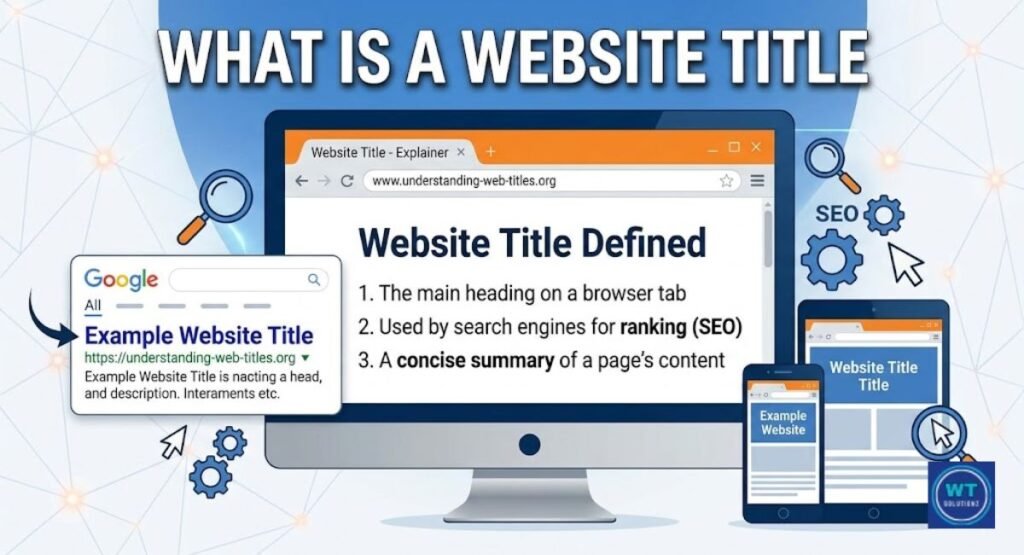
Have you ever glanced at a webpage and wondered why the large heading on the page says something different than the title in the browser tab? You’re not by yourself.
Many individuals, including seasoned web developers, mistake the HTML Title Tag for the H1 tag. They have a similar appearance. However, they do quite distinct tasks.
The header of your webpage communicates with your visitor. Search engines and SERPs are informed by your title tag.
You can write better content, rank higher on Google, and provide your users with a more seamless experience from the first click if you know the difference between a website title vs H1 tag.
What Is the Difference Between Title Tags and H1 Headers?
Your page is described by both the H1 heading and the HTML Title Tag. However, they speak to different audiences and reside in separate regions.
Your HTML section has the title tag. It is not visible to visitors on the page. However, it is read by search engines. Additionally, it appears as the blue clickable link in SERPs (Search Engine Results Pages).
The H1 tag is not the same. It can be found in the body of your page. It is the large, attention-grabbing headline that appears on your page as soon as a visitor arrives.
Consider the title tag to be your company’s street sign. The welcoming banner in the entryway is called the H1. Both are important. Each of them has a function. And one of the easiest methods to succeed in SEO is to make effective use of them.
| Feature | Title Tag | H1 Tag |
| Location | HTML <head> | HTML <body> |
| Visible to visitors | No | Yes |
| Shows in Google search | Yes | No |
| Character limit | 50-60 characters | No strict limit |
| SEO impact | High | High |
| Can they be the same? | Yes, but not required | Yes, but not required |
Where H1 and Title Tags Appear
There are numerous ways to type each tag, depending on where it appears. They can be found in a variety of places. Every location has its own set of rules. Writing both gets considerably simpler once you grasp this.
When you watch them in action, the title tag vs. H1 heading question becomes much more apparent. One is constantly on guard. One is on your page. They are both really heavy. Let’s examine each in more detail.
Where a Page Title Is Displayed
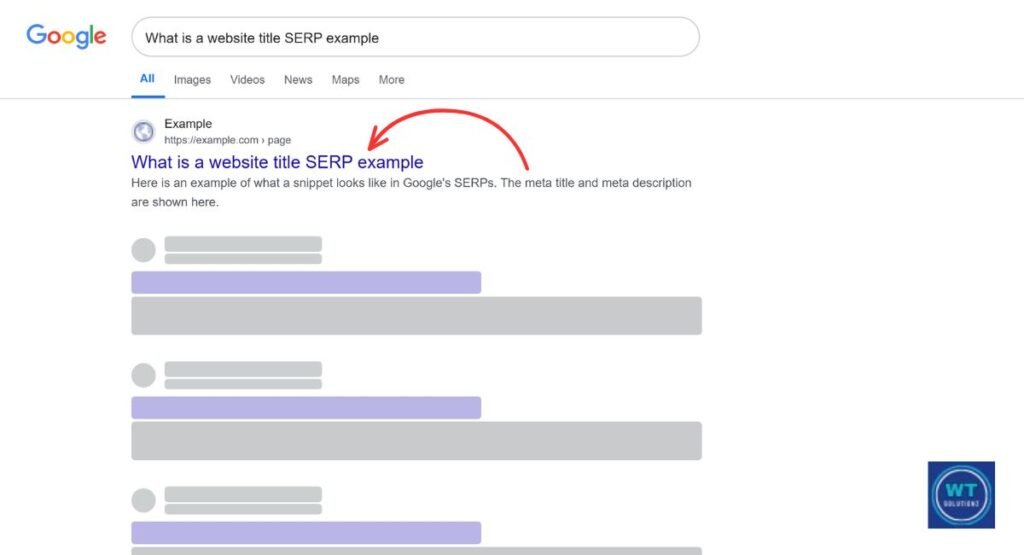
There are three key places where your HTML Title Tag is found. Firstly, it appears in SERPs (Search Engine Results Pages) as the clickable blue headline. Secondly, it is displayed at the top of your screen within the browser tab.
Thirdly, your title tag is often used as the headline for the shared link when someone shares your page on social media platforms such as Facebook and Twitter.
This has a significant impact on the Click-Through Rate (CTR). If your headline is uninteresting, it will be overlooked. However, if it is clear and engaging, users will click on it. Google also assesses topical relevance through your title tag. Therefore, craft it with the sole aim of attracting clicks.
To avoid having it truncated in search results, keep it under the 50–60 character restriction.
Quick Fact: In almost 33% of cases, Google rewrites title tags, according to a 2023 Zyppy study. If you rewrite your writing a lot, it is usually too wordy, too long, or too confusing.
Where an H1 Is Displayed
The H1 tag is positioned directly at the top of the header content of your webpage. It represents the first large text that a visitor encounters upon visiting your site. It does not immediately appear in Google search results.
However, Google does read it. This assists Google in comprehending the actual purpose of your page.
Additionally, your H1 provides reassurance to users. When a user clicks on your search result and arrives at your website, the H1 indicates that they are in the correct location. If your headline states “Best Running Shoes for Flat Feet” while your H1 reads “Welcome to Our Shoe Store,” your visitor may become confused.
Such confusion can lead to a bounce. When a bounce occurs, your rankings may decline. Ensure that your H1 is accurate and aligns with your title.
Why Do Title and H1 Header Tags Matter for SEO?
Google interprets both. Your visitor has engaged with both. Each also offers insights into the topics covered on your page. Weak signals lead to diminished rankings. Clear and strong signals are more prominent in search results.
The relationship between the title tag and the H1 header is a crucial component of an effective content structure.
If you can excel in these two aspects, you have achieved more than the majority of websites. Now, let us examine the three key factors that contribute to their importance.
Help Search Engines Understand Your Content
The way a human reads your page is different from how search engines do. They look it over. They search for cues. One of the first signs that Google detects is your HTML Title Tag.
Your H1 attests to it. They collectively make up the semantic kernel of your page. Google is informed that “this page is clearly about X.”
Google is more confident in your page when both tags are aligned and address the same search intent. Better rankings are frequently the result of this confidence.
You’re giving conflicting messages if your headline focuses on “how to bake sourdough bread,” yet your H1 discusses something ambiguous like “bread tips.” Additionally, you lose ranking spots due to conflicting messages.
Improve Content Structure and User Experience

A well-designed content structure begins at the top. Everything below it is influenced by your H1. Your H1–H6 heading hierarchy is anchored by it. From it, H2s and H3s flow. This format makes it easier for readers and Google to navigate your information.
A clean H1 lowers friction from the perspective of User Experience (UX). Before reading, people scan. In just one second, a powerful H1 notifies your visitor that they are in the proper place and should continue reading.
Doubt is created by a weak or absent H1. And uncertainty causes individuals to depart. In Google’s opinion, each bounce you receive from a poor H1 is a tiny vote against your page.
Improve Accessibility
Accessibility is no longer a choice. When someone loads your page, screen readers—which are used by those with visual impairments- announce the H1 first.
Those users can quickly grasp the page with the aid of a clear and descriptive H1. Those users are shut out if it is omitted or made unclear.
Accessibility is a ranking criterion, as Google has made clear. Websites that function well for all users, including those who need assistive technology, are more trusted.
Use your H1 as a reference. It guides all readers, human or machine, through your content’s front entrance. A well-written H1 is both polite and effective for search engines.
Should Your Page Title and H1 Be the Same?
One of the most frequent queries in SEO is this one. The truth is that it depends. They might be the same. You won’t be penalized by Google for it. However, if you execute it well, making them somewhat different provides you with a significant edge.
There are rigorous guidelines for your title tag. You have to be succinct because of the character limit (50–60). It must be strong enough to get a click in search engine results. (Pages with search engine results). There is more space in your H1.
It could be made a bit cozier and more evocative. The visitor is drawn in by the title. When they get there, the H1 greets them.
Here’s a real-world example:
| Page Topic | Title Tag Example | H1 Example |
| SEO for beginners | SEO for Beginners: A Simple Guide (2024) | SEO for Beginners: Everything You Need to Know to Rank on Google |
| Sourdough bread recipe | Easy Sourdough Bread Recipe for Home Bakers | How to Bake Perfect Sourdough Bread at Home (Even If You’re New) |
| Running shoes guide | Best Running Shoes for Flat Feet 2024 | The Best Running Shoes for Flat Feet: A Runner’s Honest Guide |
Can you see the pattern? Tight and click-focused is the title. The H1 is more comprehensive and reader-focused. The identical search intent is the focus of both.
The same text is not repeated by either. Your reader will have a better experience, and you will have greater keyword coverage thanks to that tiny change. If you want to master the specific formatting and strategies used by top-ranking sites, check out our guide on SEO best practices for website titles to refine your approach.
H1 Tag Best Practices for SEO
It doesn’t take long to get your H1 properly. However, even little errors here might cost you. You can remain ahead of most websites without exerting too much effort if you follow these easy steps.
These pointers are applicable whether you write raw HTML, utilize a plugin like Yoast or Rank Math, or administer your website using a CMS (Content Management System) like WordPress.
The tool has no bearing on the regulations. Strong foundations always prevail.
Include Your Target Keyword in the H1 Tag
In the H1, enter your primary keyword. Do it ahead of time. Don’t stuff it, but don’t conceal it either. If you’re aiming for “title tag vs. H1 heading,” your H1 should naturally contain that term.
This increases topical relevancy and indicates to Google that you are serious about the subject.
A verified ranking indication is the placement of keywords in the H1. It is not required to be the first word. However, it should sit toward the beginning of the heading and feel natural.
Don’t push it. Rework it till it flows if it reads uncomfortably. Stuffing your H1 with too many keywords is an example of over-optimization that actually causes more harm than good.
Keep Your Title Tag Under 60 Characters
The 50–60 character restriction for your HTML Title Tag is not recommended. Google’s display format has a strict requirement.
If you go over it, your title will appear in search results with an ellipsis (…). That appears disorganized. Click-Through Rate (CTR) suffers. Additionally, a low CTR tells Google that searchers aren’t happy with your result.
Before posting, examine your title using a free tool such as Moz’s Title Tag Preview Tool or Google’s SERP Simulator. These tools let you see exactly how your title will appear in search engine results. (Pages with search engine results).
30 seconds pass. Every time, it’s worthwhile.
Use Only One H1 Tag Per Page
Just one page. One H1. Complete halt. Your H1-H6 heading hierarchy is broken when you use more than one H1 tag. Google is confused about the main purpose of your page.
Your reader is also perplexed by it. H2 and H3 tags are where subheadings belong. You should only use the H1 for your main page headline.
During an SEO audit, the majority of quality CMS (Content Management System) platforms and plugins, such as Yoast or Rank Math, identify duplicate tags and multiple H1s.
If your SEO Audit Tool ever identifies this problem, address it right away. It’s among the simplest technical SEO solutions available.
Read Also:
What is a Website Title
Location-Based Page Titles
How to Write Catchy Website Titles
Where to Put the Title Tag in HTML
How Often Does Google Change Title Tags
How to Change Website Title in WordPress
FAQs
Why Is Google Rewriting My Page Titles?
When your HTML Title Tag is too long, too ambiguous, or overly wordy, Google rewrites it. Additionally, it rewrites it if the content of your page differs from the title. Write precise, understandable names within the allotted 50–60 characters to fix it.
Can I Use Identical Page Titles and Headings?
Yes, you won’t be penalized by Google for it. However, you have a minor advantage if you write things slightly differently. The click in SERPs is earned via your title tag. whereas your H1 concentrates on reassuring users after they arrive at the page.
Should title and H1 tags be the same?
They don’t have to be the same, but they can be. In fact, a lot of SEO specialists advise wording them a little differently. While your H1 greets the visitor to the page, your title tag wins the click in search results.
Is H1 the same as a title?
They are not the same, no. The main heading that visitors see on your page is called the H1. The title element, located in both the browser tab and Google search results, is an integral part of your HTML code.
What is the difference between H1 and title in WordPress?
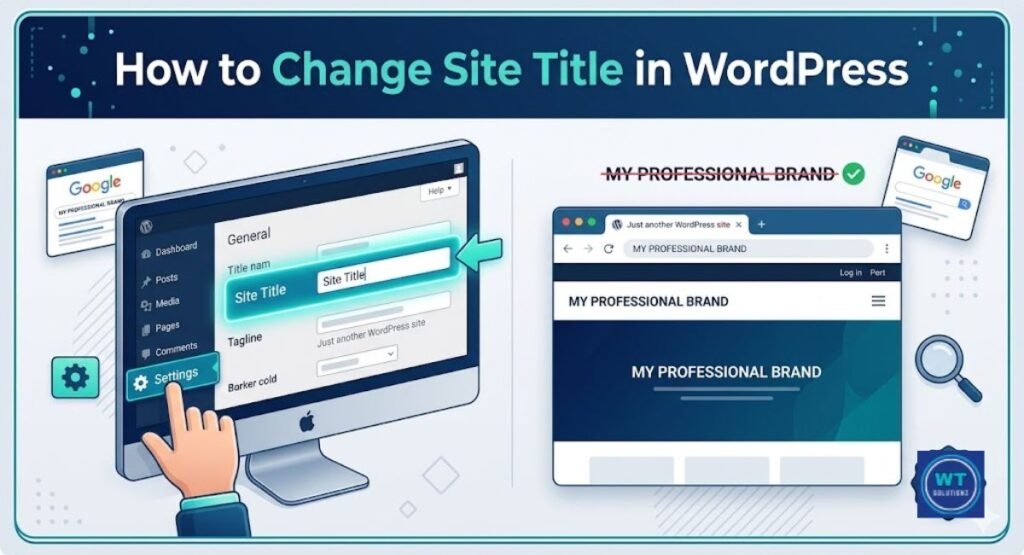
When you publish a post in WordPress, the title you enter serves as both your HTML Title Tag and your H1. Nevertheless, you can create a distinct title tag for search results by utilizing plugins such as Yoast or Rank Math, all while keeping your H1 unchanged.
What is the title of the H1 tag?
The main heading of your webpage is represented by the H1 tag. This tag notifies both Google and your audience about the subject of the page and is positioned at the top of the page content. You may think of it as the title of your page.
Are title tags still relevant for SEO?
Yes, there is no question about it. In 2024, title tags continue to be among the most essential elements of on-page SEO. Google analyzes your HTML Title Tag to understand your page and display it in search engine results pages (SERPs). A poorly crafted title adversely affects your Click-Through Rate (CTR).
What are common SEO mistakes to avoid?
The most frequent mistakes consist of employing multiple H1 tags on a single page, having absent or duplicated title tags, surpassing the 50–60 character limit for titles, and neglecting search intent. These small errors gradually diminish your rankings.
What is a good title for a website?
An effective title must be clear, succinct, and limited to sixty characters at most. It provides the reader with a reason to click and naturally includes your target keyword. Avoid using vague titles. Clearly inform visitors about what they can anticipate from your page.
Should H1 be in the header or the main?
Instead of being inside a site-wide header element, your H1 should be located inside the main content section of your page. In order to immediately introduce the content that your visitor came to read, it should be at the top of your post or page body.
What happens if I don’t have a title tag?
In search results, Google will automatically extract text from your page, typically your H1 or a random piece of content, and use it as your title. Your Click-Through Rate (CTR) typically decreases as a result of losing control over how your page appears in SERPs.
Summary: Title Tags & Headings Are More Than Just Nice-to-Haves
In summary, there isn’t much of a disagreement between title tags and H1 headings. Both are necessary. They are not the same. They do different tasks. Furthermore, actual SEO value is lost when they are treated as identical.
In search engine results pages, or SERPs, your HTML title tag helps to attract clicks. It manages the tab display in your browser.
Click-Through Rate (CTR) is driven by it. To keep the visitor reading, your H1 works on the page. Your content structure is anchored by it. It facilitates accessibility. For Google, it strengthens topical relevancy.
These two tags together make up your on-page SEO’s front line. If you get them properly, your page will look better overall. You make every other SEO attempt more difficult than it has to be if you ignore them or handle them carelessly.
The guidelines are the same whether you use WordPress, Yoast, Rank Math, or any other CMS (content management system). Create a catchy title. Write a concise H1. Make them cooperate. That’s all. The game is that.