Being discovered on Google is crucial for local business owners. The majority of business owners have a respectable website, but are still perplexed as to why clients aren’t contacting them. Often, the solution is located at the top of your site.
One of the quickest victories in local SEO strategy is using location-based page titles. They provide Google with precise information about your operations and clientele. When done correctly, they raise your page in search engine results pages (SERPs) and increase the number of clicks from actual local users.
This post explains how title tag optimization works and how you can use it right now to improve your local company’s landing pages and outperform your online competitors.
What Are Location Pages and Location-Based Page Titles?
A website centered on a particular city, town, or area is called a location page. It provides Google and your visitors with precise information about your location and clientele. Consider it a signpost.
It directs the appropriate client to the appropriate location at the appropriate moment. You are essentially invisible to local searchers without these sites, which are an essential component of any clever local SEO campaign.
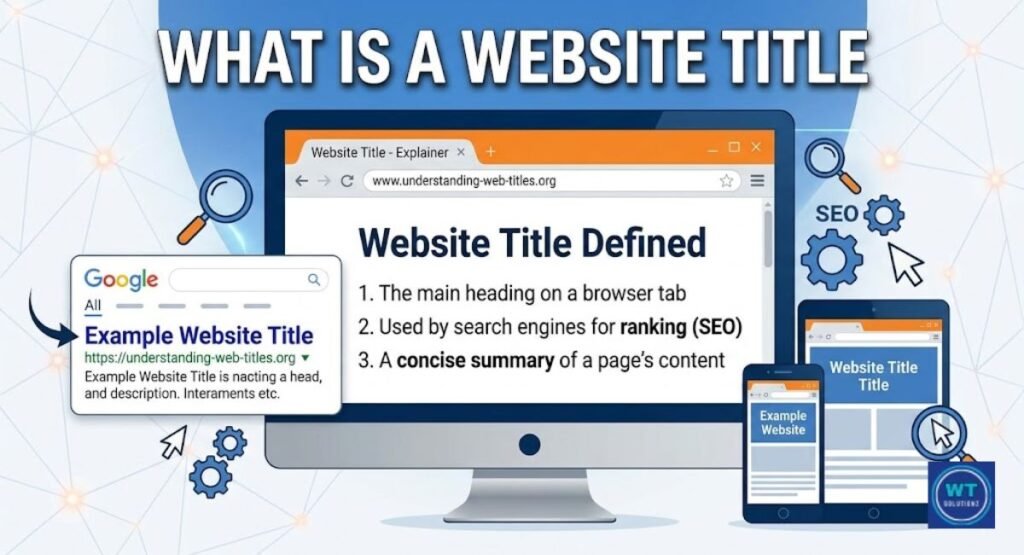
The clickable headline that shows up on Search Engine Results Pages (SERPs) is a location-based page title. It’s the blue link that appears when you conduct a Google search. It also resides in the tab of your browser.
A geotargeted content signal is created when a city or region is included in the title. It informs Google that your page is pertinent to residents, and that one modification can have a significant impact on your search engine rankings.
How Location Pages Differ From Regular Web Pages
It’s acceptable for a standard webpage to state “Our Plumbing Services.” See the difference? However, a location page states “Plumbing Services in Dallas, TX.” One is ambiguous. The other is particular. A target city is considered from the outset when creating local company landing pages.
They make use of local terminology, local allusions, and local intent. They discuss more than just your actions. What makes them so effective for search visibility is that they discuss where you do it.
Why Are Title Tags Important For Local SEO?
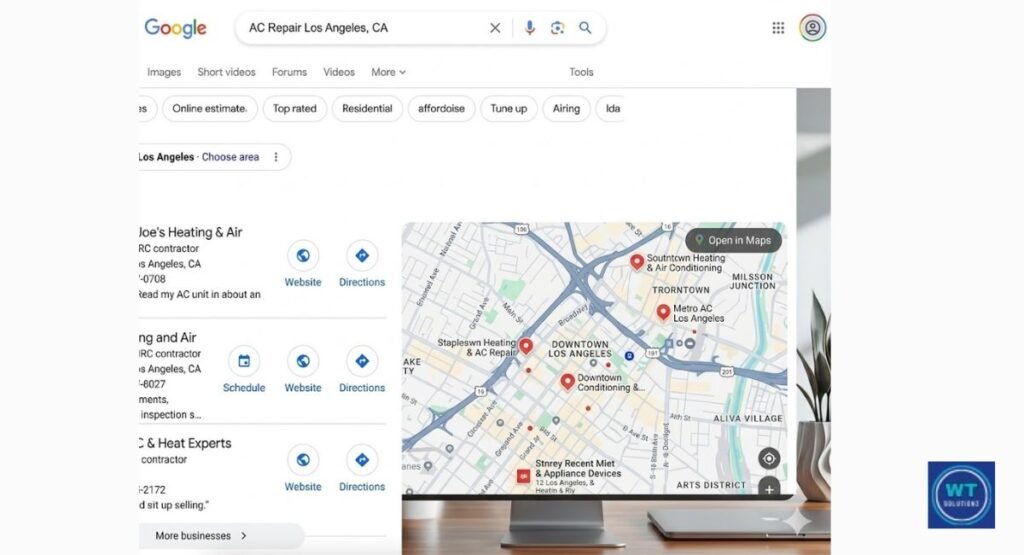
When your page appears in search results, title tags are the first thing that both Google and actual users view. They function similarly to a headline on the top page of a newspaper. People will continue reading if the title catches their interest.
They quickly skim past anything uninteresting or unclear. Google is informed that your page is just what a local searcher needs via a powerful title tag that incorporates your target location. Relevance is a crucial component of search engine rankings that most small businesses totally ignore.
It’s important to know this. Before it even reads the text, Google uses title tags to determine the topic of your page. Therefore, Google recognizes right away that your page is appropriate for a Miami resident looking for AC repair when your headline reads “AC Repair in Miami.”
This increases your chances of showing up in the top three map listings that show up before everything else, known as the local pack visibility results. The most clicks are made at those locations. Forget about it. Your quickest route to that ideal property is a well-written title tag combined with clever title tag optimization.
“One of the most crucial on-page SEO components is the title tag. It’s imperative to get them correctly for local search. Moz Local SEO Guide (moz.com)
How to Write Location-Based Page Titles That Improve Local Rankings
It’s easy to write excellent location-based page names. You don’t have to be a technology expert. The objective is to make Google comprehend your page immediately while you write catchy website titles that people actually want to click.
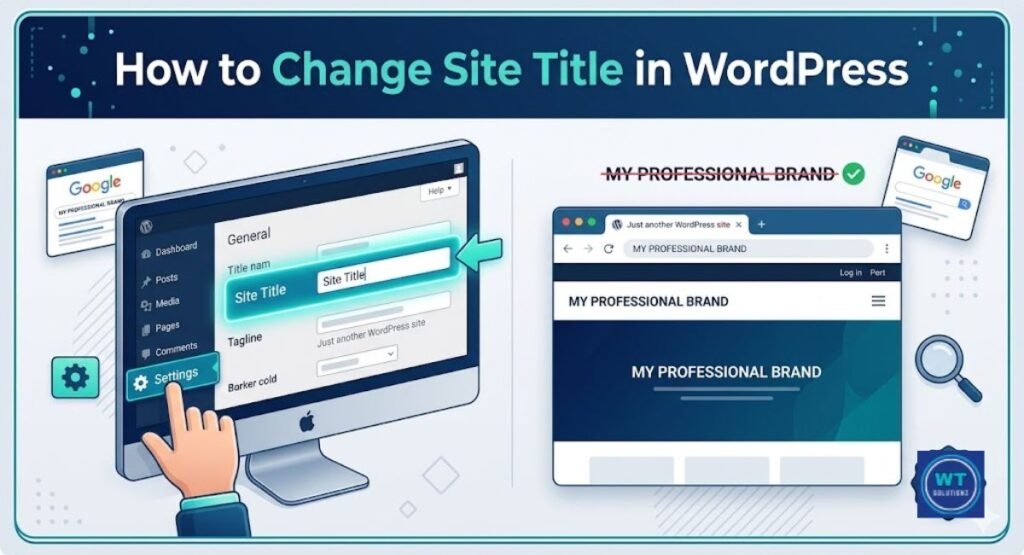
If you are using a CMS like WP, you can easily change website title in WordPress settings to match your local SEO goals. For a deeper dive into the technical side of this process, you can explore these SEO best practices for website titles to ensure your headers are fully optimized for search engines.
All you have to do is adhere to a few precise guidelines and use them uniformly on each page of your website. The objective is straightforward.
You want actual people to want to click on your page, and you want Google to comprehend it right away. Both are equally important. Let’s go over each rule so you may begin using it right now.
Include the Primary Keyword and Location Early
Start your title with the name of your city and your service. Like you, Google reads title tags from left to right. The opening words are more important. Thus, “Roof Repair in Austin, TX” is more effective than “Fast and Affordable Services | Roof Repair Austin.”
Lead with your location and the main keywords. Don’t bury them in the end. More quickly than practically anything else, this little change raises your search engine ranks and click-through rate (CTR).
Avoid Keyword Stuffing
Stuffing a title with too many keywords in an attempt to fool Google is known as keyword stuffing. It is ineffective. Google actually penalizes it. “Plumber Dallas, TX Best Cheap Plumber Dallas, Texas” is an example of a spammy title. It confuses search engines and alienates actual users. Make sure your titles are clear and easy to understand. Just one city.
Just one service. One unambiguous message. That’s the recipe that works. Google is more concerned than ever with user experience (UX), and a cluttered title detracts from the user’s experience even before they click.
Incorporate Brand Names When Relevant
Including your brand name in the title of your location-based page increases trust and brand recognition. Additionally, it makes it easier for recurring clients to find you. A headline such as “AC Repair in Houston | CoolBreeze HVAC” accomplishes two tasks simultaneously.
It strengthens your brand and addresses a local search query. Make use of the solid reputation your company already has in your community. Put your brand name following the pipe character (|) at the end of the title. To avoid pushing your keywords too far back, keep it brief and simple.
Match User Search Intent
Simply said, user search intent refers to what a user truly wants when they enter a query into Google. Someone searching for “emergency plumber Chicago” is afraid and in urgent need of assistance. A hungry person is searching for the “best pizza in Brooklyn” and weighing their alternatives.
That goal should be clearly stated in your title. If they require speed, use phrases like “Same-Day” or “24/7.” When comparing, use phrases like “Best” or “Top-Rated.” When you match the user’s search intent in your title tag, your result appears to be the best option, which encourages more clicks and leads to more business.
10 Examples of Strong Location-Based Page Titles
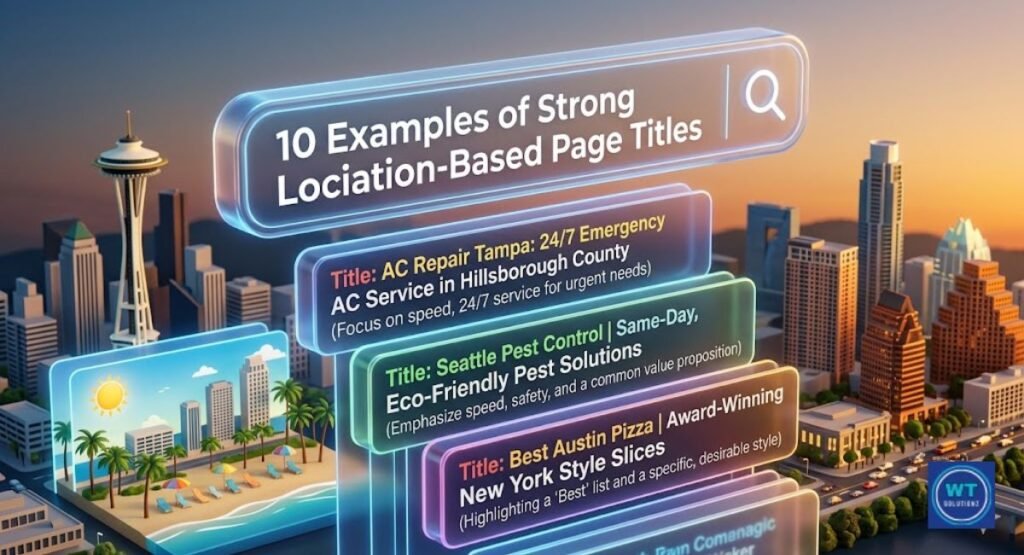
Seeing something done correctly might sometimes be the quickest way to learn. Ten actual instances of effective location-based page titles from various company categories are shown below.
In order to increase clicks, each one begins with a service, a geographic identity, and a brief value statement.
| # | Business Type | Strong Location-Based Page Title |
| 1 | Plumber | Emergency Plumber in Phoenix, AZ – Same-Day Service |
| 2 | Dentist | Family Dentist in Brooklyn, NY – Affordable and Gentle |
| 3 | Law Firm | Personal Injury Lawyer Chicago – Free Consultation |
| 4 | Restaurant | Best Thai Food in Seattle, WA – Order Online Today |
| 5 | HVAC | AC Repair in Houston, TX – Licensed and Insured |
| 6 | Real Estate | Homes for Sale in Denver, CO – Browse Listings Now |
| 7 | Hair Salon | Hair Salon in Nashville – Walk-Ins Welcome |
| 8 | Gym | Fitness Center in San Diego – Join for One Dollar Today |
| 9 | Veterinarian | Trusted Vet in Portland, OR – Book an Appointment |
| 10 | Electrician | Licensed Electrician in Atlanta, GA – Fast and Safe |
Take note of the commonality across all these titles. Every one of them has a particular state or city. They all provide the service with a clear name. Additionally, each one has a little sentence that encourages the reader to click.
The foundation of excellent title tag optimization is the three-part formula: service, location, and value. Any city and any industry can use it. Build from it by using it as a template.
Common Mistakes to Avoid with SEO Location Pages
Using the same title tag on every location page is one of the most common mistakes made by businesses. You can’t simply change one city name and replicate the others if you serve five cities. That is considered thin or redundant content by Google.
Every local company landing page needs to have a distinct title, content, and angle. Consider the unique characteristics of each city. Mention local facts, localities, or landmarks. Give each site the impression that it was created especially for that city, as Google believes it should be.
Allowing your location page titles to become stale is another frequent error. Companies relocate. They broaden their service areas.
They adopt a new name. But for years, their title tags have remained unchanged. In addition to confusing Google and annoying users who discover out-of-date information, stale titles damage your NAP consistency (Name, Address, Phone) signals. Every six months, set a reminder to review the titles of all of your location pages.
It can prevent a significant decline in local pack visibility and takes less than an hour. Additionally, to avoid Google truncating your titles in search results, keep them under 60 characters.
Always keep your titles under 60 characters to avoid Google cutting them off. It is also worth noting how often does Google changes title tags dynamically, so staying within limits is key.
Another error is neglecting your snippets; you must ensure you don’t have duplicate meta descriptions across different city pages, as this confuses search engines.
| Common Mistake | Why It Hurts | Quick Fix |
| Same title on all location pages | Google sees duplicate content | Write unique titles per city |
| Titles over 60 characters | Google truncates them in SERPs | Count characters before publishing |
| Missing city or state | Page won’t rank locally | Add a geographic identifier to every title |
| Keyword stuffing in the title | Google penalizes it, users ignore it | One service, one city, one clear message |
| Outdated location info | Confuses users and search engines | Audit titles every six months |
| No value statement | Low click-through rate | Add a short benefit phrase at the end |
Additional SEO Strategies to Complement Location-Based Page Titles
Although powerful, title tags are most effective when used in conjunction with other strategies. To really reap the benefits, you must combine them with compelling meta descriptions. First, you must understand the length of meta description to ensure your message isn’t truncated.
When you master this, you can significantly improve meta description organic CTR by writing like a small advertisement.
It’s a vital part of your strategy once you learn how meta descriptions impact SEO and user behavior.
The two-line excerpt that shows up beneath your title in search results is called the meta description.
It has a significant impact on your click-through rate (CTR) but has no direct effect on rankings. Write it like a small advertisement. Describe what the reader will receive and why they should click.
Add the name of your city along with a call to action, such as “Call today” or “Get a free quote.” Don’t exceed 150 or 160 characters.
You must create a compelling Google Business Profile (GBP) that goes beyond titles and meta descriptions. This free Google Maps listing directly impacts your local pack exposure. Fill out each section. Include pictures. Gather reviews.
Post updates regularly. Match your GBP with a consistent NAP (Name, Address, Phone) on all online directories, social media profiles, and citation sites. Google is more likely to trust you when it sees the same business information elsewhere.
Higher search engine ranks for your local search queries result from that trust.
How Internal Linking Supports Your Location Pages
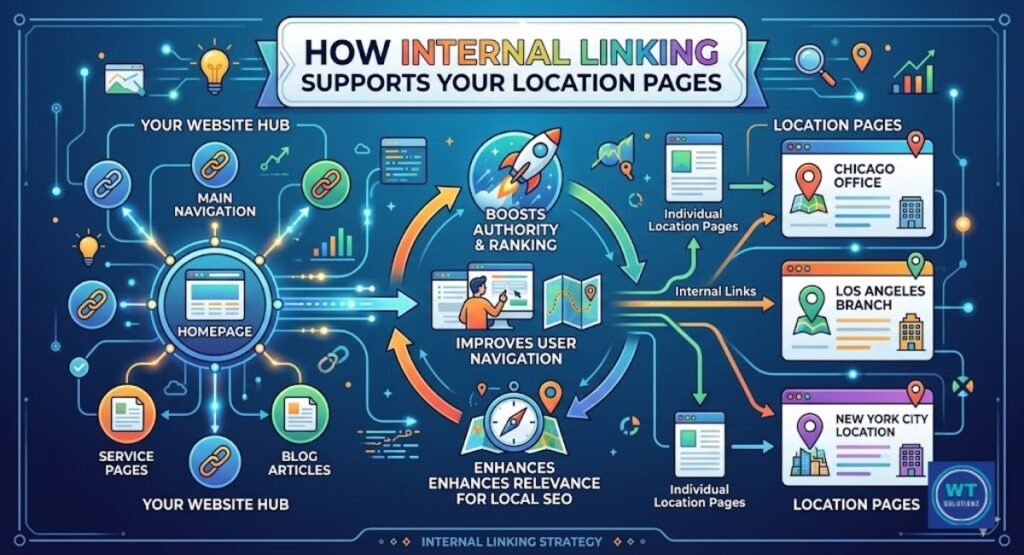
Linking from one page on your website to another is known as internal linking. If you’re wondering why are internal links important for SEO, it’s because they transfer authority to your location pages.
For even better results, you can organize your content using silo internal linking to show Google the topical depth of your services. Although it seems straightforward, it has tremendous power.
You transfer authority to your location pages when you link to them from your homepage or blog entries.
Google recognizes the significance of your location pages and follows those connections. For instance, a blog post titled “5 Signs You Need a New Roof” may organically connect to your “Roof Repair in Austin, TX” website.
Google is informed that the Austin website is important by that link. Additionally, it prolongs visitors’ stays on your website, improving both conversion rate optimization and user experience (UX).
Your location pages are further enhanced by structured data and schema markup. You can improve Google’s comprehension of your content by adding a type of code called schema to your website. There is a particular schema type known as LocalBusiness for local firms.
It allows you to provide Google with your precise address, phone number, hours, and service area in a format that Google can read right away. This promotes semantic relevance and can provide you with rich search results, such as address information or star ratings that show up directly in the SERPs.
It doesn’t require manual coding. It’s easy with tools like Google’s Structured Data Markup Helper. (https://www.google.com/webmasters/markup-helper/)
FAQs
What is a location-based page title?
A title tag with a city or area next to your service name is known as a location-based page title. It provides Google with your specific workplace. “Plumbing Services in Dallas, TX” is an ideal location-based page title, for instance.
How long should a location-based page title be?
Don’t exceed 50 or 60 characters. Anything longer is removed from Google’s search results. Click-through rate (CTR) is always higher with a succinct, unambiguous headline.
Can I use the same title for multiple cities?
No. Each city needs a different page and title. Duplicate content is a problem that lowers your search engine rankings when you use the same title on several service area pages.
How often should I update my location page titles?
Every six months or whenever your company changes, review them. Strong NAP consistency (Name, Address, Phone) is supported by keeping titles current. Over time, it also safeguards your search presence.
Do Location-Based Titles Help Businesses Rank for “Near Me” Searches?
Yes, however, writing “near me” in your title is not necessary. Searches for “near me” are matched by Google to pages that have a good Google Business Profile (GBP) and actual city names. Let Google take care of the rest and concentrate on the name of your actual city.
Is it better to use a city name or a zip code in titles?
Use the name of the city at all times. Instead of using a zip code, real people search by city. Since voice searches usually use city or neighborhood names, this also improves mobile search optimization.
Harnessing the Power of Title Tags and Meta Descriptions
The two most effective strategies for generating clicks from Search Engine Results Pages (SERPs) are title tags and meta descriptions. Consider them a group. The attention is drawn in by the title.
The deal is sealed with the description. Together, they make up your Google free advertisement, and every local company needs to take them seriously.
A powerful description combined with a weak title is insufficient. Additionally, a strong title combined with a poor explanation won’t work. To gain the click and demonstrate the content’s relevancy to Google and your potential client, both must cooperate.
All of the promises made by your location-based page title should be supported by your meta descriptions. If your headline is “Emergency Plumber in Phoenix, AZ – Same-Day Service,” it should be instantly supported by your description.
Say something along the lines of: “Need a plumber in Phoenix quickly? Call us right now for a free quote; we are completely licensed, available around-the-clock, and prepared to solve the issue right now.” It’s obvious. That’s particular. Additionally, it directly addresses a panicked person’s search aim.
Google is informed that your listing is valuable by strong click-through signals like urgency, specificity, and a call to action. Over time, this improves your overall authority and expertise (E-E-A-T) in local search. These two fields should not be left blank or automatically produced. Every time, write them yourself.
The Bottom Line Is
One of the easiest and most powerful techniques in your local SEO strategy toolbox is location-based page names. Changing them doesn’t cost anything. Writing them only takes a few minutes.
Additionally, they can bring your company from page three to page one more quickly than practically any other SEO strategy when done correctly. Start with the service pages that are most crucial to you. Add the name of your city. Put your keywords front and center. Make sure it is readable and tidy.
One location page at a time, proceed from there. The companies that are now ranking highly on Google aren’t doing anything particularly noteworthy. They only understood the fundamentals. You are now fully capable of doing the same.