On page one, you were ranked. However, no one clicked. Does that sound familiar? Your meta description is the small text block that appears beneath your page title in Google search results. It is an HTML tag that explains the purpose of your page to both Google and actual users. And in 2026, it’s one of the most underrated tools in SEO.
It’s not just your high position that generates organic clicks. They originate from persuading actual people to select your link over nine others. You’re losing search traffic every day without even realizing it if your snippet optimization is poor. This tutorial explains how to improve meta description organic CTR.
The Ideal Meta Description Length: Desktop vs. Mobile Limits
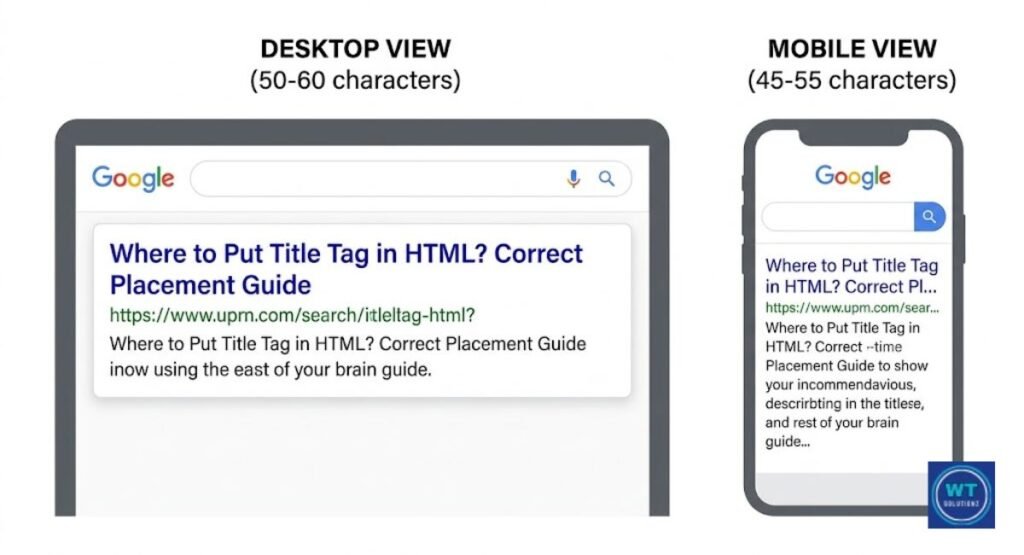
More than most people realize, length is important. If your description is too long, Google ends it mid-sentence. This is known as truncation, and it kills CTR silently.
A reader loses confidence when they notice “…” at the end of your sample. What are they missing, they wonder? Therefore, choosing the proper duration is more than just a technical matter. It’s a symbol of trust.
Depending on the gadget, the safe zone varies. Mobile searches are more constrained than desktop searches. Additionally, you should always write with the smaller screen in mind because Google now uses Mobile-First Indexing by default.
| Device | Safe Character Limit | Pixel Width Limit |
| Desktop | 155 to 160 characters | ~920 pixels |
| Mobile | 120 to 130 characters | ~680 pixels |
Pro Tip: Your default ceiling should be between 145 and 150 characters. That protects you without getting too close on both desktop and mobile devices.
Characters vs. Pixels: Finding the Sweet Spot
Characters are counted by most SEO tools. However, Google measures pixel width rather than character count. Compared to a lowercase “l,” a capital “W” occupies more horizontal space.
As a result, two descriptions with the same number of characters may appear in the Search Engine Result Pages (SERP) rather differently. The majority of guides completely ignore this.
The solution is easy. Before publishing, make use of a free SERP preview tool such as Portent’s. Enter your description and observe the rendering process. Trim it if it breaks off. Add a more forceful call to action if space permits. Preview at all times. Don’t ever guess.
5 Golden Rules for Writing a Click-Worthy Meta Description
It’s not about sounding smart while writing a nice meta description. It’s about being straightforward and helpful. “Why should I click this one?” is a question the reader is already asking, and each description you write should address it.
Your description has to be rewritten if it cannot respond to that in less than 155 characters.
Together, these five guidelines are effective. Your description becomes weaker if you omit one. If you adhere to all five, Google will re-crawl your page and your search traffic will increase virtually instantly.
| Rule | What It Means |
| 1. Include your focus keyword naturally | Helps with Keyword Bolding in results |
| 2. Write one clear Call to Action (CTA) | Tells the reader exactly what to do next |
| 3. Match your page content exactly | Builds trust and lowers Bounce Rate |
| 4. Speak to a specific reader need | Creates emotional relevance fast |
| 5. Keep it unique for every page | Unique Descriptions protect your whole site’s CTR |
Using Action-Oriented Verbs to Drive Clicks
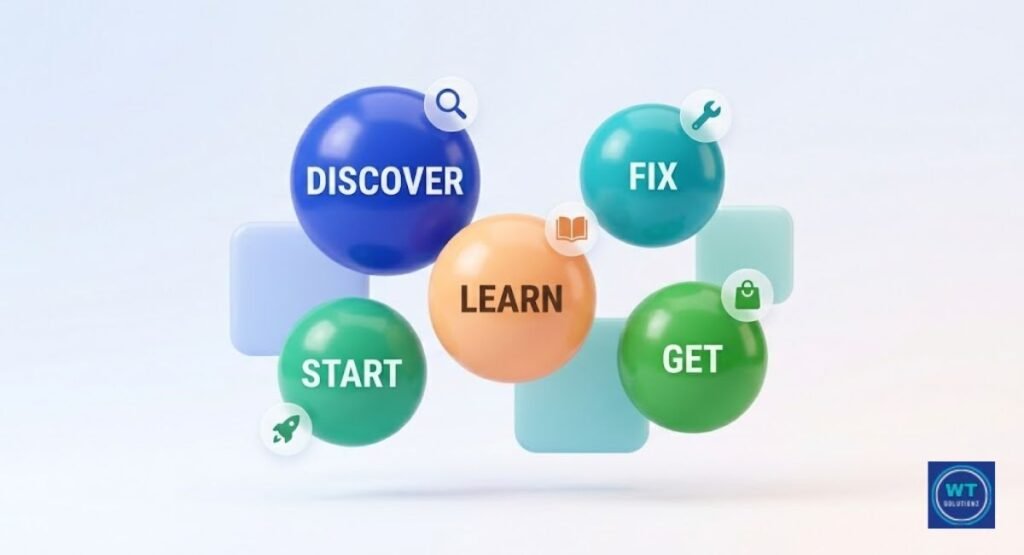
Clicks are lost on passive descriptions. Quick. Words like “information can be found here” put too much strain on the reader. Instead, use powerful action verbs to take the lead.
“Discover,” “Get,” “Learn,” “Try,” “Fix,” and “Start” all encourage the reader without coming across as aggressive. Here, user psychology is quite important. People react to motion. They’ll click if you nudge them.
To illustrate the difference, here is a brief before and after. Poor: “This page contains information about improving your meta description CTR.” :
“Learn exactly how to improve your meta description organic CTR in 2026 with 10 proven steps.” same subject. entirely distinct energy. The click goes to the second one.
Highlighting Your Unique Value Proposition (UVP)
On the page, nine other results are located directly beside yours. The one-line reason someone chooses you over them is your UVP. It could be credibility (“Used by 50,000 US marketers”), depth (“The only guide covering all 10 steps”), or speed (“Fix it in 10 minutes”).
Declare your advantage as soon as possible. Don’t leave it until the very end of your description.
The foundation of a solid UVP is content relevance. Make it clear whether your page actually offers something different. Avoid overstating things and using ambiguous statements like “the best guide ever.”
Give specifics. In actual A/B experiments, specific descriptions consistently perform better than generic ones.
The Power of Keyword Bolding in Search Results
Words in your meta description that correspond to the user’s search query are automatically bolded by Google. This is known as “Keyword Bolding,” because it makes the page visually appealing.
Before the reader ever reads a word, bold text grabs their attention. Therefore, you immediately stand out when the search term appears naturally in your description.
The crucial term in that situation is “naturally.” Don’t use too many keywords to make your text bold. Forced phrasing is noticed by both Google and actual readers. Prioritize writing for people.
The bolding will take care of itself if your pertinent keywords flow smoothly into a useful statement.It’s one of those SEO triumphs that may be attained with just a well-considered sentence.
How to Match Your Description with Search Intent
Search intent is the real reason behind every Google search. Someone types “what is a meta description” and then requests an answer. What a person looking for “buy SEO plugin” wants is a product page relevant topic with a completely different explanation.
If your description doesn’t fit what the searcher is looking for, they won’t click. Even if they do, they will bounce back fast.
Thanks to Semantic Search in 2026, Google is now better than ever at interpreting intent. This means that the right kind of information must be indicated right away in your description.
Mismatching your description with your page type is one of the easiest ways to negatively impact both your CTR and User Experience (UX) simultaneously.
Optimizing for Informational Intent (Guides and Blogs)
People that are eager to learn hunt for information. They are typing questions, “how to” phrases, and general topic terms. Your description should promise a succinct and helpful response.
Use this formula: “Learn how to [solve this problem] in [number] steps.” That organization works because it sets and meets clear expectations.
This blog post is meant to be informative. This is how the description ought to appear: “Use this simple 10-step guide to improve your meta description of organic CTR in 2026.”
Sincere counsel without pretension. See how it speaks to you directly, enhances the Page Title and Meta Tag, and offers value. That’s the goal.
Optimizing for Transactional Intent (Product and Service Pages)
Those who are ready to act initiate transactional searches. They are looking for a specific product, service, or deal.Urgency and trust signals should be included in your meta description for these pages.
Mention same-day service, limited-time price, free shipping, or money-back promises. Whatever eliminates the reluctance to purchase.
In the US, search volume for transactional keywords typically increases during sales seasons. For promotions, make sure your descriptions remain current.
A six-month-old static description won’t convert as effectively as one that states, “Sale ends Friday.” On product pages, timeliness is a CTR element that most people totally overlook.
Understanding Navigational Intent
The most basic kind is navigational intent. The individual already has a destination in mind. All they’re doing is using Google to get there more quickly. Consider queries such as “Ahrefs login” or “Nike US store.”
Your description on these pages should be clear, concise, and branded. Avoid attempting to sell. Avoid trying to pique their interest.
Just let them know exactly what the page is and make sure they are at the correct location. “For a navigational page, “Sign in to your Ahrefs account and access your SEO dashboard” is ideal.
It respects the reader’s time, is straightforward, and aligns with the objective. Navigational intent actually only requires that.
Psychology Tips: Using Power Words to Boost Your CTR
Feelings are evoked by words. Clicks are also driven by emotions. It’s not manipulation. All you need to do is comprehend how user psychology functions and write appropriately.
Some words evoke feelings of urgency, trust, curiosity, or FOMO. Your CTR naturally increases when those emotions are in line with what your page actually offers.
Using a single category of power words for each description is the trick. It sounds like spam when urgency, interest, and trust are all crammed into 150 characters. Choose your perspective and take ownership of it.
Lean into authority if your page is the ultimate resource. Lean toward urgency if the offer is time-sensitive. Every time, a single, unambiguous emotional signal outperforms a disorganized chaos.
| Power Word Category | Examples to Use |
| Urgency | Now, Today, Fast, Instantly |
| Trust | Proven, Verified, Expert, Guaranteed |
| Curiosity | Secret, Little-Known, Surprising, Hidden |
| Benefit | Free, Easy, Simple, Step-by-Step |
| Fear of Loss | Don’t Miss, Stop Losing, Before It’s Gone |
Common Mistakes That Are Hurting Your Organic Click-Through Rate
Most websites unknowingly lose clicks. The errors listed below are not very serious. They are solid and silent. They are harmful because of this. There won’t be an unexpected traffic collision.
Simply said, you will never achieve the CTR that your ranks merit. Within a few weeks, even fixing two or three of them can make a significant difference.
Writing descriptions for bots rather than humans is the fundamental issue that underlies all of the errors on this list.
The quality of your descriptions completely shifts when you consider the reader of your snippet instead of rankings. What distinguishes high-CTR pages from mediocre ones is this mental adjustment.
| Mistake | Why It Hurts | Quick Fix |
| Duplicate meta descriptions | Confuses Google and readers | Write Unique Descriptions for every page |
| Leaving descriptions blank | Google picks random text | Always write your own |
| Keyword stuffing | Looks spammy, tanks trust | Use keywords naturally once |
| Writing for bots | Sounds robotic, loses clicks | Speak directly to the reader |
| Burying the benefit | Reader loses interest fast | Lead with your value |
| Ignoring Truncation | Key info gets cut off | Stay under 150 characters |
| Generic CTAs | “Click here” earns no clicks | Use specific action-driven language |
The Role of Rich Snippets and Schema Markup in CTR
Your search result seems larger, wiser, and more reliable on the page thanks to Rich Snippets. star ratings. How-to step previews and FAQ dropdowns. Schema Markup is a sort of Structured Data that you add to the HTML of your page to create these visual enhancements.
They also function. Rich results can increase CTR by up to 30%, according to studies.
Consider it from the viewpoint of the reader. Two outcomes are positioned adjacent to one another. Plain text is one. The other displays a price, an availability label, and five gold stars.
Which one do you select? Your rating is not directly altered by structured data. However, it modifies the appearance of your result, and a more attractive result generates more organic clicks without changing its position.
Google’s Rich Results Test tool allows you to see if your pages qualify for rich results. Google will inform you which schema types apply to your content if you simply paste your URL.
The following is a list of the schema types that are most CTR-friendly for US audiences.
| Schema Type | What It Shows in SERP | Best For |
| Review/Rating | Star ratings and review count | Products, services, courses |
| FAQ | Expandable questions below result | Blog posts, service pages |
| HowTo | Step previews directly in SERP | Tutorial and guide content |
| Breadcrumb | Site structure path | All page types |
| Product | Price, availability, ratings | E-commerce pages |
Using Google Search Console to Identify Low-CTR Pages
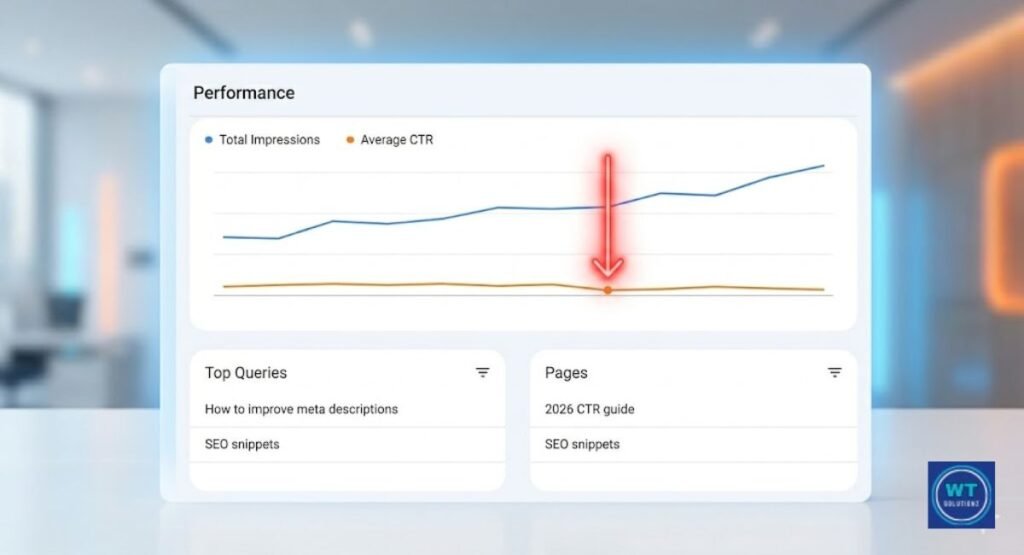
The closest thing to a free CTR roadmap is Search Console Performance statistics. For each page on your website, Google provides you with impression counts, click counts, average position, and average click-through rate.
You can pinpoint exactly where to concentrate your efforts thanks to that data. People who see you but don’t click are said to have high impressions but low CTR. That’s your list of opportunities.
Click “Performance” from the menu on the left after logging into Google Search Console. Choose the last three months as your date range. Next, select “Pages” to view your page-level information.
Sort from high to low impressions. A meta description rewrite should be done immediately for any page with more than 500 impressions and a CTR of less than 3%. Work your way down the list from there.
How to Use the Performance Report for Data-Driven Improvements
Your CTR command center is the Performance Report found in Search Console Performance. It displays which search terms are bringing up your sites in addition to what is performing poorly.
The query data is priceless. You’re missing a clear alignment remedy if visitors are discovering your page using a query that your existing meta description ignores.
To get the most out of this report each month, follow these easy five steps.
Step 1: Launch Google Search Console, then select “Performance.”
Step 2: To separate organic results, filter by “Search type: Web.”
Step 3: To find out which queries caused a low-CTR page, click on it.
Step 4: Verify that those inquiries are reflected in your existing meta description.
Step 5: Reword the description to reflect the most frequently asked question while maintaining a human and genuine tone.
Once a month, go through this procedure. About thirty minutes are needed. Additionally, it eventually creates a website where each page receives the clicks it merits according to its true rating.
A/B Testing: How to Experiment with Your Meta Descriptions
A/B testing generates data from conjecture. You test two versions of a description against one another and allow actual click activity to determine what works instead of making assumptions.
The majority of US SEO firms manually perform these tests using date comparisons from Google Search Console. Some make use of specialized equipment. The idea is the same in each case: alter one thing and observe the results.
Never alter more than one element at a time while doing A/B testing on meta descriptions. You won’t know which modification caused the outcome if you alter the CTA, the opening phrase, and the keyword placement all at once.
Select a single variable. Give it two to four weeks to test it. Next, make a decision.
| Testing Period | Description Version | What to Measure |
| Week 1 to 2 | Version A (your original) | Baseline CTR from GSC |
| Week 3 to 4 | Version B (one change made) | New CTR from same date range |
| After test | Pick the winner | Apply learnings to similar pages |
These three programs specifically facilitate A/B testing for meta descriptions.
Search Pilot (searchpilot.com) runs controlled SEO split tests at scale. It’s built for teams managing large sites with hundreds of pages.
TitleTester (titletester.com) lets you test headline and description variations based on real reader preferences before you publish anything.
For smaller sites, manual GSC tracking is effective. Take a screenshot of your CTR data prior to the modification. Make the change.
After 30 days, return and compare the figures side by side.
See Also:
What is the Length of Meta Description
How to Remove Duplicate Meta Descriptions
FAQS:
How to improve organic CTR?
Create concise meta descriptions with powerful action verbs, align your content with search purpose, and employ reader-focused power words. Prior to publishing, always preview your excerpt.
Is SEO dead or evolving in 2026?
SEO is definitely changing, not going away. Semantic search is now more adept at understanding context, Google’s algorithm is more intelligent, and mobile-first indexing is commonplace. Adjust or lag behind.
Why is my organic traffic suddenly dropping?
An abrupt decline in traffic typically indicates a change in Google’s algorithm, a technical problem, or competitors outran you with better-optimized sites. Look for hints right away in Google Search Console.
What’s a good CTR for meta?
For most pages, a CTR of more than 3% is regarded as respectable. In the US, position one outcomes average about 27%. Rewriting the description is immediately necessary for anything under 2% with high impressions.
How can a CTR be over 100%?
When tracking tools count the same person clicking more than once or when data is incorrectly attributed across sessions, CTR exceeds 100%. It is not a true performance metric; rather, it is a tracking error.
Final Thoughts:
This is the main point. Your search traffic is greatly impacted by the little language that makes up your meta description. Your page won’t rank as a result. However, once your page does rank, it has complete control over whether anyone clicks.
Every word in that excerpt matters in 2026 thanks to Mobile-First Indexing, Semantic Search, and more intelligent consumers than ever. You now understand how to use a straightforward, tried-and-true 10-step method to increase your meta description organic CTR in 2026.
This is not complicated at all. It does, however, call for consistency.
Begin modestly. Today, pick one page. Open your Google Search Console, locate your low-CTR, highest-impression page, and use what you just learned to modify the description.
Comply with the purpose of the search. Lead by example. Don’t exceed 150 characters. Include a compelling call to action (CTA). Before publishing, test it out in a SERP simulator. Then see what happens to your organic clicks when you return in 30 days.
Go repair that one page, then. Fix another after that. Continue. Because each description you enhance increases the likelihood that a genuine person will select you over other options on the Search Engine Result Pages (SERP).