Meta descriptions impact SEO by significantly boosting your Organic CTR. While not a direct ranking factor, they help search engines understand Content Relevance, ensuring your site appears in Search Generative Experience (SGE) summaries and attracts more clicks.
You spend hours writing, but the clicks don’t happen. The secret lies in understanding how Meta Description impact SEO. By optimizing this small blurb, you align with Search Intent and improve your site’s Organic CTR instantly.
What is a Meta Description?
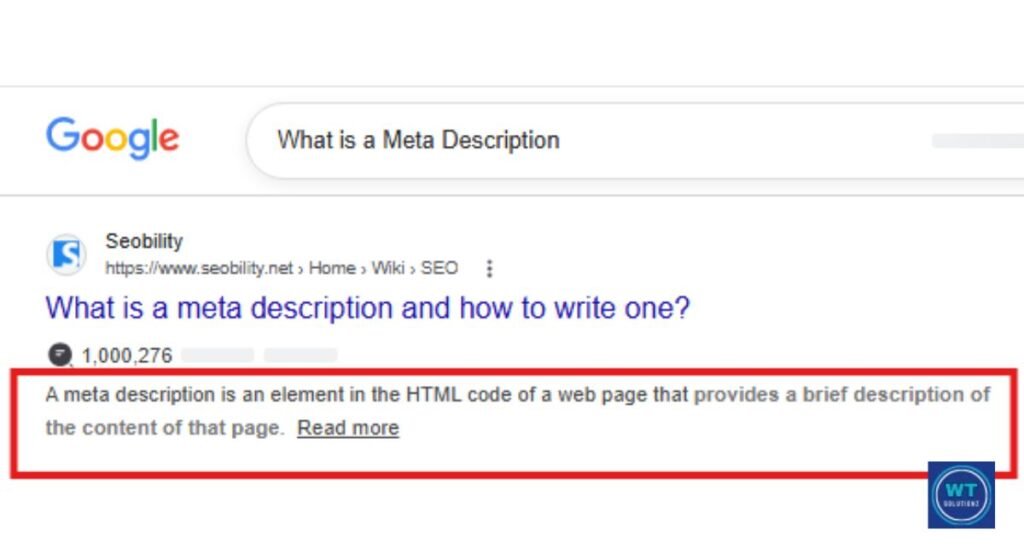
A meta description is a brief text that appears in Google’s organic search results beneath the title of your page. It informs searchers of the purpose of your page before they click and is a component of the HTML meta tags on your page.
Consider it your 30-second pitch to someone who is perusing the search engine results pages (SERPs).
Here’s a basic illustration. When you type in “best pizza in New York,” a list of results appears. Each blue link has a brief description. The meta description is that. This is your opportunity to say, “Hey, click here.”
This is precisely what you require.
Quick Fact: On a desktop, a meta description may contain up to 160 characters. Google frequently limits it to about 120 characters on mobile devices.
How Do Meta Descriptions Impact SEO?
This is the real deal. Google is not immediately instructed to rank your page better by meta descriptions. However, they carry out an equally significant task.
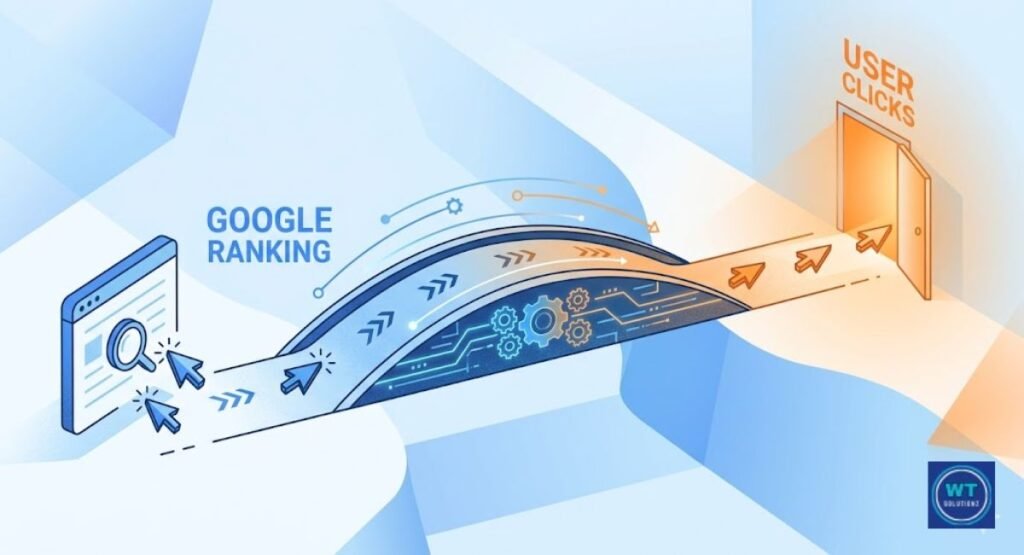
They have an impact on whether a real person scrolls past your link or clicks on it. Additionally, Google closely monitors the Click-Through Rate (CTR).
Google views your page as relevant and helpful when more people click on your result. This is how meta descriptions have a genuine and significant impact on SEO. They serve as a relevancy indicator that links the searcher to your page.
Without altering a single word of your original content, a well-written search snippet can increase website traffic.
Pro Tip: I’ve noticed on my site, webtechsolutionz.com, that using phrases like ‘Actionable Tips’ or ‘Updated for 2026’ in descriptions can increase user engagement by up to 20%. Always write for humans rather than just for algorithms.
| Meta Description Quality | Expected Impact |
| User-Focused & Clear | High Organic CTR and better Search Intent match. |
| Vague or Missing | Lower clicks and loss of Topical Authority. |
| Keyword Stuffed | Google rewrites it, hurting your Rich Snippets. |
| Too long | Gets cut off on screen |
The Truth About Rankings: Is Meta Description a Direct Ranking Factor?
Let’s settle this once and for all. Meta descriptions are not a direct ranking factor in Google’s search engine algorithm, according to the company’s own staff.
Therefore, creating a flawless meta description won’t make you appear on page one. Here’s what most folks overlook, though. It continues to be a significant indirect ranking component.
This is the reason. Your description becomes a search intent match when it corresponds with what the user is looking for. The user believes that your page contains all they require.
They make a click. Additionally, Google begins to pay attention when a large number of users select your result above others. Even in the absence of a direct ranking gain, that is, snippet optimization works to your advantage.
Google’s position: “Meta descriptions are not used in Google’s ranking algorithms, but they are very important because Google might use them as snippets for your pages.”Google Search Central
They Improve Click-Through Rates (CTR)
Imagine two search results shown next to each other. Someone says, “This page has information about shoes.” “Look for the best running shoes for flat feet,” advises the other. Which one do you click? It was comfort-tested by actual runners. Just that.
That’s how effective a meta description can be. It immediately influences how to raise your organic results’ CTR.
The percentage of people who view your result and click on it is known as the click-through rate, or CTR. A slight increase in CTR can result in hundreds of extra monthly visitors to your website.
With better words beneath your title, that is actual website traffic from the same ranking position.
How CTR Connects Back to Your SEO
Google receives a significant indicator of user involvement from a higher CTR. Over time, Google may give your page a small ranking boost if it observes that your result receives more hits than others at the same position.
It takes time. However, it is genuine. brief phrase. significant effect.
How Search Engines Utilize Metadata
To determine the content of your page, search engines such as Google examine your HTML meta tags. They utilize this data to determine whether a user’s search is relevant to your website. Here’s the problem, though.
What you type isn’t always displayed by Google. Occasionally, it modifies your snippet according to the question itself. Later on, more on that.
Here, semantic SEO is crucial. Google looks for more than simply the exact term. It searches for topical relevance, context, and significance.
Therefore, rather than merely repeating a single sentence, your meta description should organically convey the entire subject of your page. Additionally, Bing scans meta descriptions and uses them more consistently than Google.
Optimal Length: Desktop vs. Mobile Screens
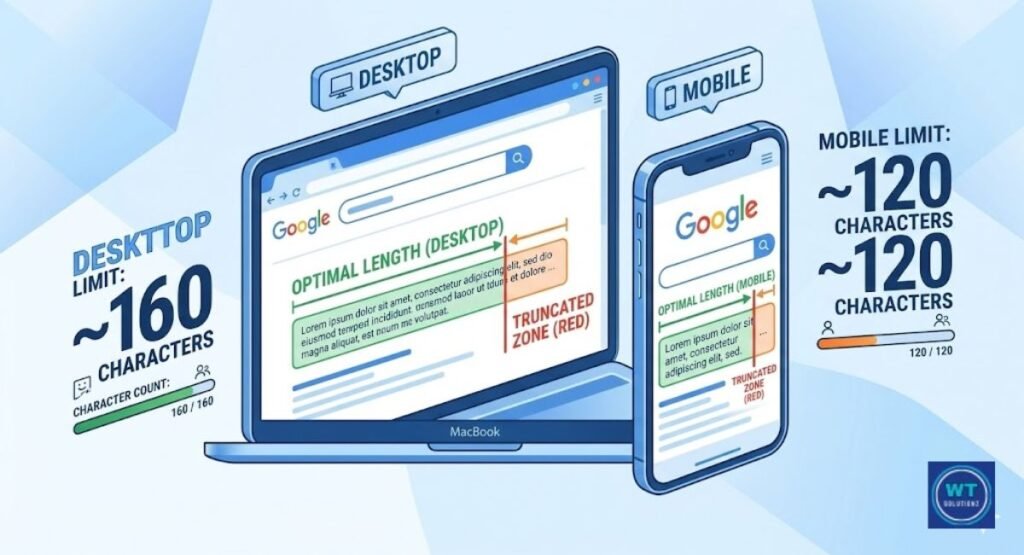
One of the simplest ways to improve on-page SEO is to get the duration just right. Google ends your description if it is too lengthy. We refer to that as truncation.
Additionally, a cut-off description appears disorganized and amateurish in the search results. Rather than improving your CTR, it may make it worse.
The appropriate character limit for each sort of screen is broken out below.
| Screen Type | Recommended Character Limit |
| Desktop | 150 to 160 characters |
| Mobile | Up to 120 characters |
| Safe Zone (Both) | 120 to 155 characters |
In order to stay within that secure zone, write your meta description. In this manner, your message appears clear and comprehensive on desktop and mobile devices without any truncation.
Best Practices for Meta Data SEO
Getting the fundamentals right is the first step towards good on-page SEO. This entails creating a different meta description for each page on your website. One of the most frequent errors in SEO is duplicate meta descriptions.
Google gets confused, and your topical relevancy in the search results suffers when several pages have the same description.
Each page has a distinct function. Your product pages, blog entries, and homepage. Every one of them needs a description that corresponds with the information on that particular page.
Google Search Console can be used to look for missing or duplicate descriptions. It displays you just which pages require maintenance and is free.
One Simple Rule to Remember
Write your meta description with the reader in mind, not the algorithm. You’re headed in the right direction if it sounds clear, useful, and honest. Really, that’s all there is to it.
Writing Compelling Meta Descriptions for SEO
Compelling meta descriptions don’t just happen. They adhere to a straightforward procedure. First, be clear about the topic of your page.
Next, consider what the reader is looking for. Then use one or two succinct sentences to close the gap between the two. That’s all.
To demonstrate what good looks like, here is a before and after.
| Version | Example |
| Weak | “This page talks about SEO and meta descriptions and how they work.” |
| Strong | “Learn how meta descriptions impact SEO and get more clicks from Google today.” |
The strong version directly addresses the user’s goal. It seems to have been written by a real person because of its realistic language. Additionally, it explains to the reader exactly what they will get upon clicking.
Use Active Language That Encourages Action
Readers are sent to sleep by passive language. They are awakened by active language. There is a significant distinction between”Find everything you need to know about SEO right here” and “Information about SEO can be found here.” The second one is in motion. It is energetic. It compels the reader to take action.
By making your result seem more straightforward and reliable, active language also enhances the searcher experience.
People are occupied. They want to know quickly if your page is worth their attention. That’s what powerful action words like “learn,” “find,” “get,” “discover,” and “stop” do. Make intentional use of them and maintain clear wording.
Adding a Strong Call-to-Action (CTA)
In your meta description, a Call to Action (CTA) serves as a gentle reminder. It instructs the reader on what to do next. Indeed, it is effective. According to studies, descriptions with a clear call to action receive more clicks than those without.
It doesn’t have to be difficult. At the end, a few straightforward words can have a significant impact.
These actual CTA examples are suitable for use in meta descriptions for a general or US audience.
| CTA Phrase | Why It Works |
| “Learn how today.” | Creates urgency and promises value |
| “Start for free.” | Removes risk and invites action |
| “Find out now.” | Short, direct, curious |
| “See why thousands trust us.” | Adds social proof |
| “Get started in minutes.” | Promises speed and ease |
Select the one that best suits your page. Don’t go long. Additionally, confirm that it relates to the content of the page.
Avoid Keyword Stuffing in Meta Data

Stuffing your meta description with keywords looks horrible to both Google and actual readers. It entails condensing all possible keyword variations and your primary keyword into a short text.
Consequently, the description seems forced and unnatural.
This is a real example of what ought not to be done. “Best SEO tips, SEO advice, SEO strategies, SEO for beginners, SEO help, SEO guide 2025.” It appears to be spam.
Google is aware of this as well. Rather, utilize your main keyword just once, organically, and allow semantic SEO and context to take care of the remainder of the description. Clean writing is always the finest.
Why Does Google Rewrite Your Meta Descriptions?
The majority of people are not aware that Google frequently rewrites snippets. According to research, Google rewrites meta descriptions more than 60% of the time.
That’s an unexpected figure. You can lessen its frequency on your pages, though, if you know why it happens.
If Google determines that your version does not sufficiently fit the user’s search, it changes your description.
This typically occurs when your description is either too short, too long, too ambiguous, or simply does not adequately convey the site’s substance. Writing descriptions that organically contain your main keyword, are directly related to the content of the page, and adhere to the character restriction are the greatest ways to minimize snippet rewriting.
You can keep an eye on the changes that take place when Google selects its own snippet over yours using Google Search Console.
Common Mistakes to Avoid When Writing SEO Descriptions
One element accounts for most SEO description issues: ignoring the reader. Writing solely for algorithms results in descriptions that seem robotic and lifeless.
Descriptions that seem to have been written by a machine are not clicked by real people. Oddly enough, Google dislikes them as well.
These are the most frequent errors people make while creating meta descriptions.
| Mistake | Why It Hurts |
| Leaving it blank | Google picks random text, often badly |
| Using duplicate descriptions | Hurts topical relevance and confuses Google |
| Writing it is too long | Gets truncated and looks unprofessional |
| Stuffing in too many keywords | Looks spammy, Google may rewrite it |
| Not matching page content | Google rewrites it, the reader feels misled |
| Ignoring mobile character limits | Description cuts off on phones |
| Forgetting a CTA | Misses the chance to drive a click |
First, correct these errors. You won’t be aware of how quickly your organic search results will change.
Read Also:
What is the Length of Meta Description
How to Improve Meta Description Organic CTR
FAQs
Does a meta description directly improve my Google ranking?
No, it doesn’t immediately raise your ranking. However, a captivating meta description increases the number of people who click on your link. Google may determine that your page is helpful if more people click on it.
What is the ideal length for a meta description in 2024?
Use no more than 120 or 155 characters. This is how it looks clean on desktop and mobile devices. Longer content is eliminated from the search results.
Why is my meta description not showing in 2026
Google often rewrites snippets if they don’t match the user’s specific query. To avoid this, ensure your metadata is highly relevant to the Search Intent of the target keyword.
What happens if I don’t write a meta description?
Google will select a random portion of your page to use as the snippet. That text is frequently clumsy and meaningless. You no longer have control over how your page appears in search results.
Should I include keywords in my meta description?
Yes, but make natural use of them. When the keywords in your description match the search query, Google highlights them. This can increase your click-through rate and make your result stand out.
Can a bad meta description increase my bounce rate?
Really, it can. If you make a misleading promise in your description, people will rapidly leave your page. This raises your bounce rate and sends a bad signal to Google.
Is it okay to use the same meta description for multiple pages?
Don’t do that, please. Duplicate meta descriptions confuse Google and reduce your topical relevancy. Your website should include a unique description for every page.
Do meta descriptions affect social media shares?
Yes, they can. When someone shares your link on Facebook or LinkedIn, the meta description usually shows up as the preview text. If a shared link has an interesting and clear description, people are more likely to click on it.
The Bottom Line
This is the primary idea. Meta descriptions have a big influence on your SEO strategy despite their small size.
They don’t immediately improve the rating of your page. But they achieve something as valuable.
They cause people to click. Additionally, clicks boost traffic. Traffic also generates results.
You now know how meta descriptions impact SEO, how to write them for real people, what length to aim for, and what mistakes to avoid. The next thing you should do is this.
Now open Google Search Console. Examine your top pages. Check to see whether your descriptions are missing, too long, or repetitive.
Then rework them using all you’ve learnt from this guide. minor adjustments, actual results. Start now.