The majority of individuals never pause to consider why they select a particular Google result over another. Something draws you in as you quickly scan the page. There is a name for that pull. We refer to it as a website title. You wouldn’t believe how much work it does; it loads before the page, Google reads it first, and it creates your initial impression. If you do it well, you will receive traffic; if you don’t, you will lose to rivals.
What is a Website Title?
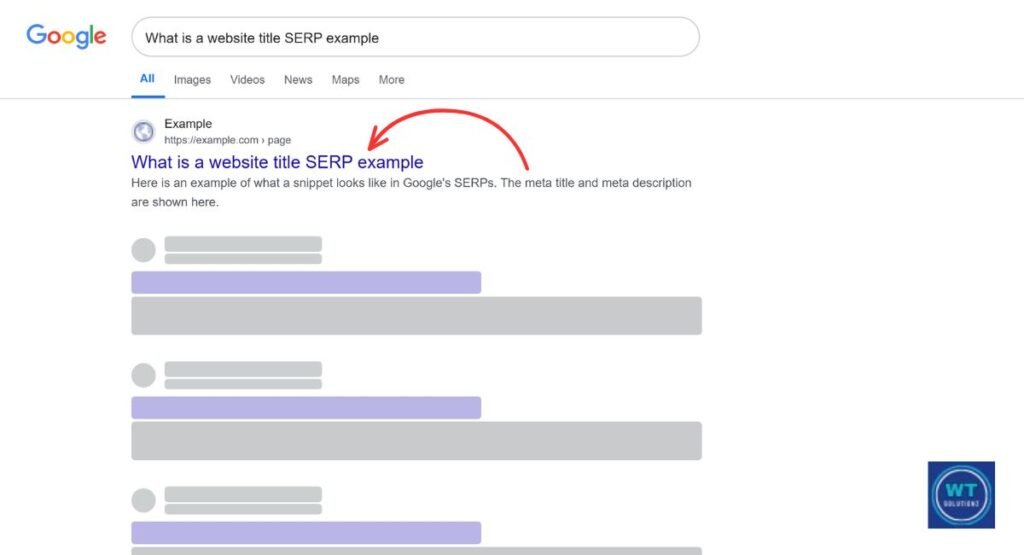
The clickable blue link that appears on a search engine results page (SERP) is a website title, to put it simply. It is a brief, informative paragraph that explains the purpose of your page to both users and search engines.
While it doesn’t usually appear on the actual body of the webpage, it lives in your HTML code inside the <title> tag and shows up in browser tabs and social media shares.
html
<head>
<title>What is a Website Title | YourBrand</title>
</head>
Small code. Huge impact.
Where Can You Find the Website Title?
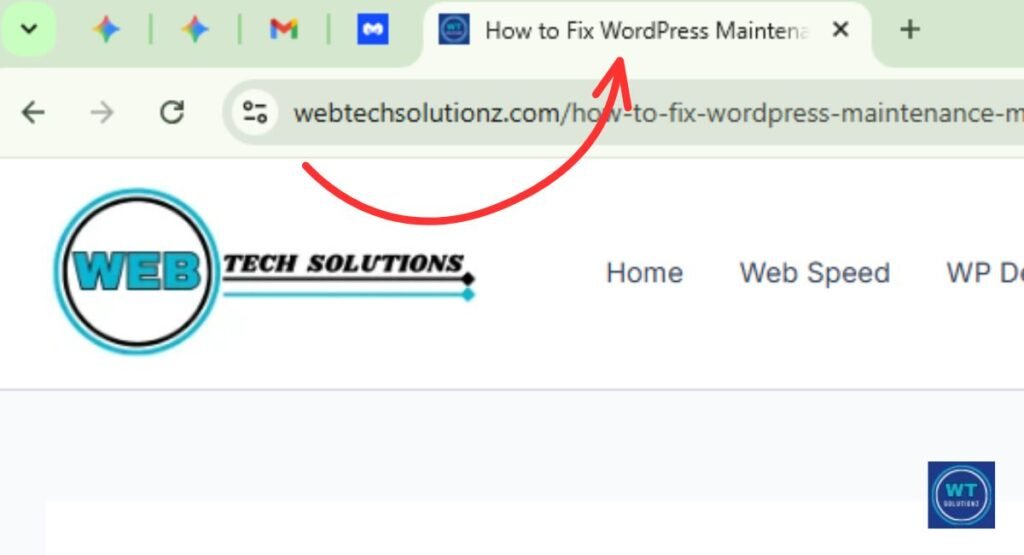
Take a look up. Do you see that text that is currently in the tab of your browser? That’s your website title quietly carrying out its function. Another way to locate it is to right-click on any webpage, select “View Page Source,” and look for the <title> tag. Ten seconds pass. Give it a try.
Tools like Screaming Frog show you every title across your whole site in one shot. So does Google Search Console. Both are free. Both are worth using today, not next week.
| Location | How It Shows Up |
| Browser Tab | Text sitting at the top of your window |
| Google Search Result | The bold blue clickable link |
| Social Media Share | The headline on a link preview card |
| Bookmarks Bar | The label saved to your browser |
| HTML Source Code | Text inside the <title> tag |
Why Is a Website Title Important?
Google reads the title of your website first. Additionally, your reader will read it first. When you do it correctly, people will click. They don’t make mistakes. It’s that easy. It immediately affects your click-through rate (CTR), which in turn affects your ranking over time.
Your title is regarded by Google as a signal of trust. It informs the algorithm about the topics covered on your page. A title that is precise and unambiguous sends a powerful message. An unclear or disorganized one is useless. Additionally, your organic traffic suffers when Google is unable to determine the purpose of your page.
Benefits of a Good Website Title
A compelling website title accomplishes three goals simultaneously. It increases brand awareness, increases search engine exposure for your page, and increases click-through rates. Every victory builds upon the previous one. Improved ranks are a direct result of improved clicks. Once more, higher ranks result in more clicks.
Here’s a real number worth knowing: according to Backlinko, the top Google result gets an average CTR of 27.6%. Your title is your single biggest lever to reach that spot. Use it wisely.
Brand Recognition
Consider the page titles on Apple. tidy. brief. branded. “MacBook Pro, Apple.” Before you click, you already know who it is. That’s brand familiarity at work in the background. Your name sticks in people’s minds every time your title shows up in a search.
It adds up fast. And it builds the kind of trust-building that no paid ad can replicate.
Search Engine Visibility
In order to match your page with the appropriate searches, Google reads your title tag. Google will link your page to folks who are genuinely looking for your goal keyword if you enter it early. This is how you get organic traffic, actual people who are interested in what you have to offer.
Skip this step and your page visibility quietly suffers every single day.
Increased Click-Through Rate
On page one, your title is in competition with nine other results. Each and every time. Almost invariably, a title with a distinct unique selling proposition (USP) or promise outperforms a dull, generic one. People click on things that resonate with them. Make yours talk.
Increased clicks indicate to Google that your page should be displayed more frequently. Your search engine ranks rise as a result. Additionally, more clicks result from higher rankings. It begins with a few carefully selected words.
What is the Difference Between the Title of a Webpage and a Website?
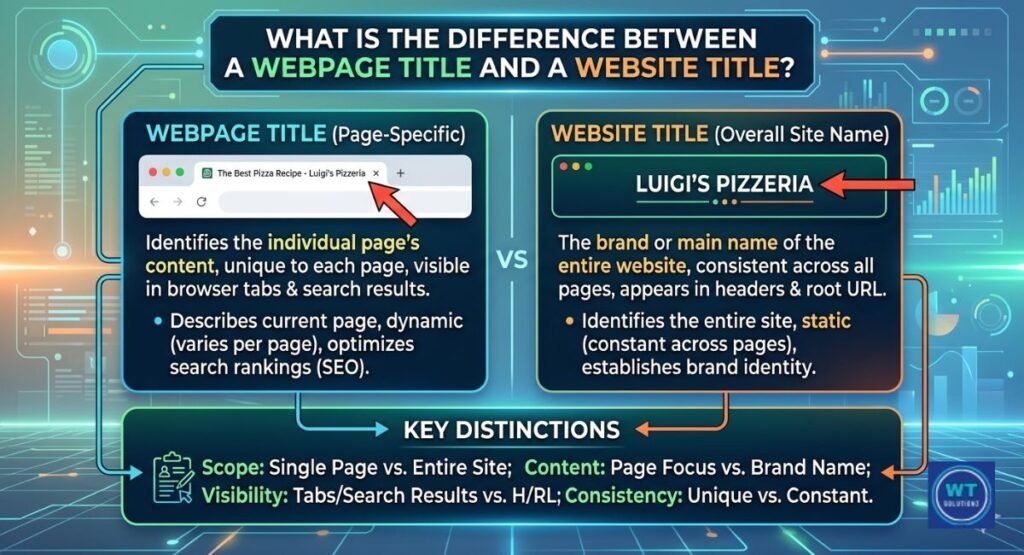
This is a mistake that causes many people to trip. The title of your website is your overall brand name, such as “Nike” or “HubSpot.” A webpage title is unique to a single page, such as “Men’s Running Shoes | Nike.” The entire book is named. One chapter is named by the other.
For SEO, both are important. However, they perform distinct tasks. The authority of your website is increased by its title. Your webpage titles direct users to the appropriate material by focusing on particular keywords. Because they are two different tools, handle them as such.
| Type | Scope | Main Job |
| Website Title | Full domain | Brand identity and authority |
| Webpage Title | One page only | Keyword targeting and CTR |
| Article Title (H1) | One piece of content | Keeping readers on the page |
What Is the Difference Between Title and Website Title?
“Title” can refer to nearly anything, including an HTML tag, a book title, and a job title. “Website title” refers to the name and identification of your entire domain. It serves as the online home base for your brand. When the two are confused, careless strategy and lost SEO possibilities result.
This distinction is important in technical SEO services. An HTML element designed for indexing is your title tag. A branding asset is the title of your website. They are not the same thing, although they are connected.
What is an Article Title and What is Its Purpose?
The H1 header that readers see directly on the page is your article title. It was written with humans in mind, not crawlers. Its entire purpose is to entice the individual who has already clicked on your link to continue reading. When done correctly, it lowers your bounce rate and gives Google a quality signal.
And lower bounce rate quietly helps your rankings too. So your H1 does double duty without you even thinking about it.
What is a Title Tag and Where is It Used?
Your title tag sits inside the <head> section of your HTML. You can’t see it on the page. But Google sees it immediately. So does every browser tab and every social media preview card. It’s invisible to visitors, and incredibly visible to search engines.
html
<head>
<title>Best Running Shoes for Men | Nike</title>
</head>
Every major CMS, WordPress, Shopify, Wix, lets you edit this without touching a single line of code. Easy win. No excuses.
What is a Site Title and Tagline?
Your brand name is the title of your website. It appears on every page of your website and typically immediately feeds into the title tag of your homepage. It serves as the cornerstone of your online brand identification. If you change it recklessly, people and search engines will quickly become confused.
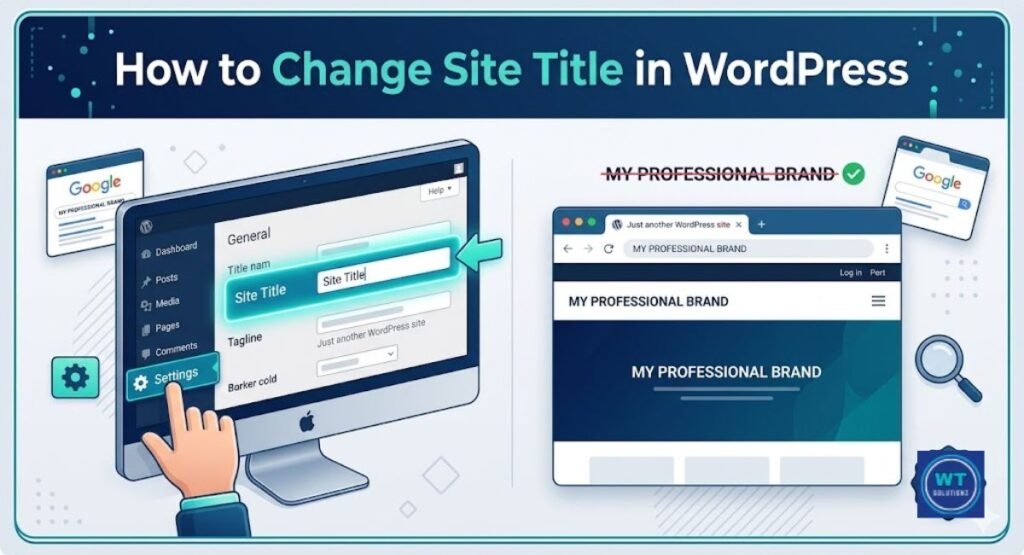
It is directly beneath your tagline. brief. sharp. In a few lines, it summarizes your USP (unique selling proposition). Locate both under Settings → General in WordPress. Together, they convey your identity and values to both Google and visitors.
“Your brand is what other people say about you when you’re not in the room.”, Jeff Bezos
Choose those words carefully.
How Do You Find the Website Title?
Now open your browser. Examine the tab located at the top of the screen. The title of your current website is that text. That’s all. No extra equipment is required. To view the complete image, however, right-click your page, choose “View Page Source,” then Ctrl+F, and look for <title>. I found it.
For a deeper look, Google Search Console shows you how your titles appear in real search results, and flags anything getting cut off. Tools like Ahrefs and SEMrush pull meta title data for any page in seconds. Use them.
Tips for Creating a Great Website Title
Choosing the correct title for your website is not difficult. However, it does require some consideration. Applying these four simple, tried-and-true strategies will make your titles more effective for your internet presence right now.
Make it Under 60 Characters in Length
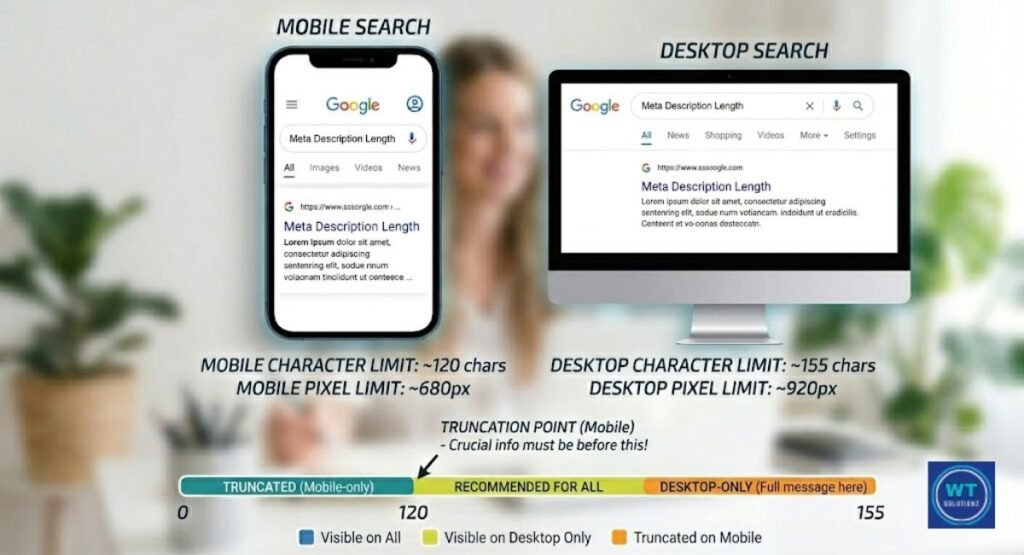
Titles longer than roughly 60 characters are removed by Google. Your message is cut off. Your brand name vanishes. Additionally, because consumers are unable to read the entire point you were making, your CTR decreases. You stay safe if you keep all of your titles below the 50–60 character limit.
Use Mangools’ free SERP Simulator to preview how your title looks before it goes live. What looks fine in your dashboard can look terrible in Google. Check first. Always.
Add Your Brand Name
Put your brand name at the end of each title, followed by a dash (–) or a pipe (|). Put something like this on each page: “What is a Website Title | YourBrand.” Every single time. One day, consumers will click on your result just because they recognize the name thanks to that repetition, which gradually and steadily increases brand recognition.
That’s brand familiarity at work. And it’s a real competitive advantage that compounds quietly over months and years.
Add Your Target Keyword
Place your goal keyword close to the top of the headline. Google prioritizes the first words and reads from left to right. Without requiring any additional work, front-loading your term improves your search engine ranks and sends a strong relevance signal.
Just don’t force it. It still needs to sound like something a real person would write. Use Google Keyword Planner to find the exact phrases your audience types. Match their words. Match their intent.
Make Sure It’s Relevant and Ultra-Specific
All are chased by vague labels, but no one is caught. The correct reader at the right time is directly addressed by certain titles. “Marketing Tips” is easily forgotten.Clicking on “10 Email Marketing Tips for Small Businesses in 2025” is worthwhile.
Remember localization as well. Indicate if you cater to a particular region. “Best Pizza in Chicago | Lou Malnati’s” consistently outperforms “Best Pizza | Lou Malnati’s” in local searches. General is inferior to specific. Always.
Website Title Examples
Real examples beat theory every time. Look at the table below. Each title is clean, specific, and built with purpose, brand identity, keyword placement, and a clear value promise all in one short line.
| Industry | Website Title Example | Why It Works |
| E-commerce | Running Shoes for Men & Women | Nike | Keyword + brand + wide appeal |
| Blog/Marketing | Digital Marketing Tips & Strategies | HubSpot | Keyword-rich and branded |
| Local Business | Best Deep Dish Pizza in Chicago | Lou Malnati’s | Local SEO + clear brand name |
| SaaS Platform | Project Management Software | Asana | Value prop up front + brand |
| Healthcare | Family Dentist in Austin, TX | Bright Smiles | Local + niche + trust signal |
| Education | Free Online Coding Courses | Codecademy | USP first, brand at the end |
What is a Website Title Example?
Say you run a small bakery in Austin, Texas. A strong website title for your homepage might be: “Fresh Artisan Bread & Pastries in Austin | Sunshine Bakery.” Under 60 characters. Local keyword included. Brand name at the end. Clean and specific.
That one title simultaneously addresses local SEO, brand identification, content relevancy, and making a good first impression. Not a fluff. No space wasted. Just the perfect words in the proper sequence.
Common Mistakes to Avoid When Creating a Website Title
Even on popular websites, these four errors appear frequently. Each one silently destroys your clicks or ranks. The good news is that, once you know what to look for, they can all be easily fixed.
Keyword Stuffing
Stuffing your title with as many keywords as you can in the hopes of ranking for them all is known as keyword stuffing. It backfires. difficult. Real readers quickly ignore it after Google labels it as spam. It appears desperate, and it is.
One strong target keyword and one supporting term is all you need. Clean and clear beats are crowded every time. Trust the process.
Having the Same Title on Multiple Pages
When two pages have the same title, they are in competition with one another in Google. It damages both pages simultaneously and is known as keyword cannibalization. Neither is very good. Both receive less traffic than they ought to.
Run Screaming Frog across your site and it’ll flag every duplicate title tag in minutes. Fix them one by one. Give every page its own unique title. It’s one of the fastest wins in all of technical SEO services.
A Title That’s Too Long (or Too Short)
If it is too long, Google will terminate it. Your brand name disappears. Your message ends in the middle of a sentence. If it’s too brief, you lose up on space that may be used for your brand and keyword. Both negatively impact your CTR and page visibility in various ways.
Stay between 50–60 characters. That range displays fully in SERPs, carries enough keyword weight, and still leaves room for your brand at the end. Simple rule. Big results.
Not Considering SEO
The quickest method to become invisible online is to write a title without considering search engine optimization (SEO). No research on keywords. No relevance to the search term. No plan. Only words chosen at random, together with ranks that correspond to them.
The most effective and least labor-intensive SEO strategy you can use is your title tag. Give it five more minutes. Verify the length, add the brand name, and check the keyword. You may get organic traffic for months with just five minutes. Don’t miss it.
See Also:
Where to Put the Title Tag in HTML
How to Write Catchy Website Titles
How to Change Website Title in WordPress
FAQs
What is a website title example?
A good one looks like this: “Fresh Artisan Bread & Pastries in Austin | Sunshine Bakery.” It has a target keyword, a location for localization, and a brand name, all under 60 characters.
How to find the title of a website?
Check the browser tab at the top of your screen. Or right-click the page, hit “View Page Source,” and search for <title>. You can also use Google Search Console to see how it shows up in real search results.
What is considered the title of a website?
It’s the text inside the <title> HTML element in your page’s <head> section. That’s your official meta title, the one Google reads and displays in search results.
What is your site title?
It’s your brand name shown across your whole site. In WordPress, you’ll find it under Settings → General. It’s the foundation of your brand identity online.
How to write a website title in text?
Use this formula: Primary Keyword + Supporting Detail + Brand Name. Keep it under 60 characters. Make it specific. Make it readable. And make sure it matches the page it’s on.
Is a website title the same as a URL?
No. Your URL is your web address, like www.yourbrand.com/page. Your website title is the text label that shows up in search results and browser tabs. Related. Not the same.
What is a web title?
Just another name for your website title or title tag. It identifies your page in search results, browser tabs, and social media previews.
What to put for a website title?
Your primary target keyword, a short value description, and your brand name. Keep it clear, specific, and relevant to the page. That’s the whole formula.
Final Thoughts
In the end, your website title performs more functions than nearly every other component. Your initial impression is shaped by it. It increases organic traffic to your website. One search result at a time, it increases brand awareness. And doing it properly doesn’t cost you anything.
Go check the title of your homepage immediately. Use a SERP simulator to test it. Do you really think this merits the click? You now know exactly how to fix it if it doesn’t. Strong website titles are not a coincidence. But yours can, thanks to what you just learned.