Your WordPress website is operational. The business is expanding. However, the question that most website owners steer clear of is: How much do WordPress maintenance plans cost, and are they truly worth the money? Spoiler alert: it most definitely is. Ignoring maintenance is similar to ignoring a check engine light.
Until it isn’t, everything appears to be alright. In 2026, serious enterprises in the USA will no longer be able to negotiate the cost of WordPress maintenance. The cost varies greatly, ranging from monthly maintenance plans to complete enterprise maintenance packages. Everything your small company website needs to be safe, quick, and successful online is broken down in this guide, along with every tier and cost consideration.
In 2026, the average WordPress maintenance cost ranges from $29 to $299 per month for most businesses. For complex sites, WordPress monthly maintenance packages can reach $1,000+. Key factors influencing WordPress maintenance pricing include security depth, update frequency, and eCommerce functionality.
WordPress Maintenance Cost Per Month: 2026 Price List

Here’s a short response if you’re looking for one. In 2026, the monthly cost of WordPress maintenance can range from roughly $29 for small businesses to well over $1,000 for major corporations.
Depending on their needs, the majority of small enterprises in the United States make between $79 and $299 a month.
That’s a big spectrum, and once you know what’s truly included, it makes sense.
Avoid being confused by the pricing range. A $299 plan and a $29 plan are essentially distinct offerings.
One provides you with the fundamentals. The other offers you a committed crew that keeps an eye on your website 24/7.
How important your website is to your company and how much downtime will really cost you will determine the best option.
| Plan Tier | Monthly Cost (USA) | Best For |
| Basic / Starter | $29 – $79/mo | Bloggers, small personal sites |
| Standard / Business | $80 – $149/mo | Small business websites |
| Professional | $150 – $299/mo | Growing businesses, eCommerce |
| Enterprise / Custom | $300 – $1,000+/mo | High-traffic, large-scale sites |
| DIY (tools only) | $10 – $30/mo | Tech-savvy hands-on owners |
2026 Pricing Summary at a Glance:
- WordPress Maintenance Price (Basic): $29 – $79/mo. Essential for personal blogs and portfolios.
- WordPress Maintenance Pricing (Standard): $80 – $149/mo. The sweet spot for lead-generation business sites.
- WordPress Maintenance Costs (Enterprise): $300 – $1,000+. Mandatory for mission-critical, high-traffic networks.
In my experience auditing sites for wordpress site maintenance cost, I’ve noticed a pattern: companies spending under $50/mo without staging environments often face $500+ emergency repair bills when a plugin conflicts. Investing in a professional wordpress service plan with proactive monitoring is insurance for your organic rankings.
What is Included in WordPress Monthly Maintenance Plans?
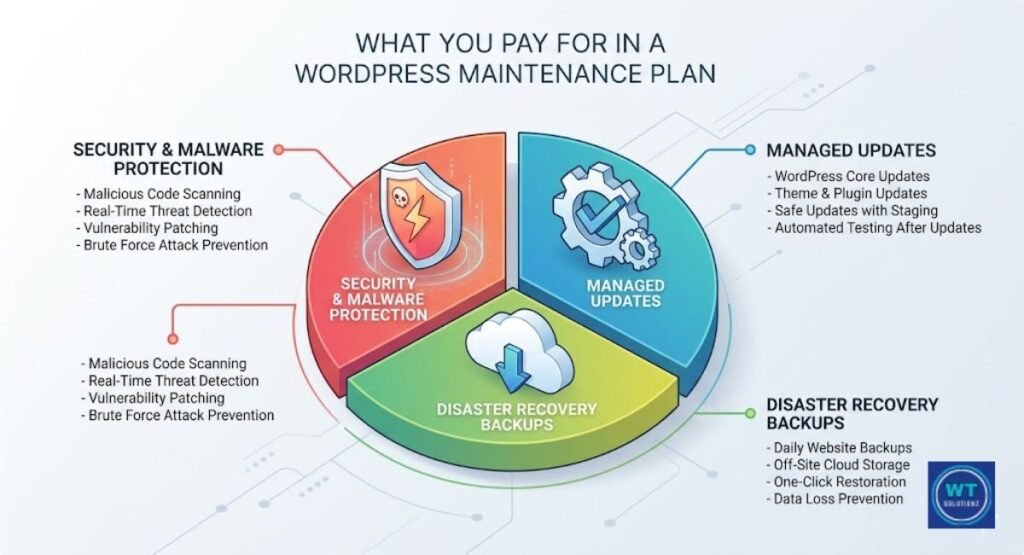
Most people are confused at this point. When people see a monthly maintenance cost, they want to know what they are getting.
A solid WordPress maintenance plan actually covers a lot of areas in the background. It goes beyond simply paying someone to click “update.” You are paying for comfort, security, and performance.
Any good bundle should include core WordPress updates, plugin and theme updates, malware detection, off-site backups, and uptime monitoring.
Having a backup is only half the battle; ensuring it is stored off-site (away from your main server) is what actually saves your business. I have consulted with numerous clients who tried to save on wordpress monthly maintenance, only to realize during a server crash that their backups were stored on the same corrupted server. Always choose a plan that offers redundant cloud backups to ensure total data recovery
These are not optional extras. They are the foundation of a strong WordPress website. Without them, your website is essentially running unprotected on the open internet, which is dangerous in 2026.
The Non-Negotiables Every Plan Should Include
Without these fundamentals, a plan isn’t worth your money. Monitoring website security keeps bad actors out.
With off-site backups, your data is protected even in the event that your server fails. Your provider is notified via uptime monitoring as soon as your website goes down, sometimes even before you realize it.
For the majority of small business websites, these three factors alone make a monthly maintenance package worthwhile.
Good plans incorporate database cleanup and speed optimization in addition to security.
Your website is slowed down by a huge database. Slow websites drive users away and negatively influence your SEO ranking.
A well-maintained site is the first step towards a successful GEO (Generative Engine Optimization) strategy, ensuring AI models can crawl and cite your content accurately.
A website that takes longer than three seconds to load is abandoned by 53% of mobile users, according to Google.
That is a revenue issue rather than a UX issue. Optimizing performance is not a luxury. It’s essential for business.
| Core Service | Why It Matters |
| Core WordPress Updates | Patches security holes, improves stability |
| Plugin and Theme Updates | Prevents conflicts and vulnerabilities |
| Off-site Backups | Protects against data loss and server failure |
| Uptime Monitoring | Catches downtime before customers do |
| Malware Scanning | Detects threats before they spread |
| Database Cleanup | Improves site speed and performance |
| SSL Management | Keeps your site trusted by browsers |
| Broken Link Fixing | Protects SEO and user experience |
Detailed Breakdown of WordPress Website Maintenance Cost
Not all businesses require the same degree of attention. A WooCommerce store that processes hundreds of orders every day has different requirements than a personal blog.
You may spend your money more sensibly if you are aware of the service tiers. To help you match your demands with the appropriate plan, below is a thorough look at each level.
Every layer improves upon the previous one. You get more included services, quicker response times, and increased responsibility as you advance.
Consider it the distinction between a personal trainer and a basic gym membership. You can access both, but only one helps you stay on course.
Starter Plans: $29 to $79 per Month
The first step is to create starter blueprints. Basic off-site backups, weekly plugin and theme upgrades, and essential WordPress updates are all covered.
The majority of basic plans back up your website once or twice a week. In order to let someone know when your website goes down, they also incorporate basic uptime monitoring.
It’s equally crucial to understand what they omit. Usually, you won’t receive any included development hours, same-day response times, or priority support.
You will have to spend more to have anything fixed if it breaks. Personal bloggers, portfolio websites, and tiny informational websites that don’t handle sensitive client data or process payments are good candidates for starter plans.
Providers like WP Buffs and ManageWP offer solid starter-level options in this range.
Standard / Business Plans: $80 to $149 per Month
For the majority of small business websites in the United States, this is the sweet spot. All of the features of the starting tier are included in standard plans, along with quicker response times, more regular updates, and often one to two hours of monthly development time.
Small updates, bug patches, minor content adjustments, and repairing broken links are all included in that development time and quickly accumulate on an active website.
At this tier, additional website security monitoring and brute-force protection are typical add-ons.
Additionally, you will usually receive a monthly performance report that details the success of your website. This market is served by companies like Maintainn, WP SitePlan, and Valet.
This tier provides a significant return on investment (ROI) without going over budget for a small firm whose website generates leads or sales.
Professional Plans: $150 to $299 per Month
For companies where their website is their main source of income, professional plans are created.
Consider lead generation websites, eCommerce storefronts, membership websites, and online learning environments.
All of the features of the regular plan are included in this tier, along with enhanced malware detection, database optimization, dedicated WooCommerce maintenance, and a staging environment for testing updates before they go live.
An environment for staging is revolutionary. Your maintenance staff can securely test plugin updates and code modifications on this cloned version of your live website.
Your live consumers never notice if something breaks on the staging site.
For any company with an active online store, that alone makes the price difference worthwhile.
Proactive threat monitoring, not reactive, is the norm at this level. Your group isn’t holding out for issues. They’re stopping them.
Enterprise Plans: $300 to $1,000+ per Month
Enterprise plans are designed for mission-critical platforms, multi-site networks, and high-traffic locations.
In this category, you receive white-glove service. This entails enhanced performance optimization, a dedicated account manager, personalized reporting dashboards, round-the-clock emergency help, and a formal service level agreement that details the precise response times you are entitled to.
When website outages cost you thousands of dollars an hour, the enterprise maintenance package makes sense. The maintenance charge is inexpensive insurance at that size rather than a cost.https://cmsminds.com/blog/wordpress-maintenance-cost/
This level is usually occupied by large agencies, SaaS platforms, enterprise eCommerce companies, and websites that are close to the government.
When digital asset security and the costs of website recovery are taken into account, the investment pays for itself many times over.
Key Factors That Influence WordPress Maintenance Pricing
You can be offered $249 per month for WordPress maintenance, but your neighbor might spend $49.
It’s not a fraud. It reflects what your website really needs.
Understanding the various variables that drive up WordPress maintenance costs can help you plan and prevent unpleasant surprises.
Site intricacy is the main motivator. Maintaining a basic five-page brochure website is simple.
With 500 products, 30 plugins, a unique theme, and a membership portal, a WooCommerce store is entirely different.
Complexity increases the likelihood of update conflicts, security flaws, malfunctions, and the level of skill needed to maintain everything functioning properly.
What Makes Your WordPress Site More Expensive to Maintain?
Here, WooCommerce upkeep is particularly important. Online retailers demand ongoing care. Payment gateways are regularly updated. Theme updates clash with cart plugins. To prevent compliance problems, customer data must always be protected.
When compared to a typical informational website, WooCommerce sites have far higher maintenance costs because data loss prevention is a full-time worry.
Your hosting environment, traffic volume, and security history are other considerations that drive costs.
Future strengthened proactive threat monitoring is necessary for sites that have already been attacked.
To remain quick under load, high-traffic websites require frequent database maintenance and performance tuning.
Because the environment is less stable, websites hosted on low-cost shared hosting frequently require more maintenance time.
All of these variables feed directly into your monthly maintenance fee.
| Cost Factor | Impact on Price |
| WooCommerce / eCommerce | High — adds $50–$150/mo |
| Custom theme or plugin | Medium-High — conflict risk |
| High traffic volume | Medium — needs performance tuning |
| Previous security breach | High — requires hardened monitoring |
| Multisite network | High — multiplies workload |
| Membership / LMS features | Medium-High — complex plugin stack |
| Shared hosting environment | Medium — less stable foundation |
| Frequency of content updates | Low-Medium — more touchpoints |
DIY vs. Professional WordPress Site Maintenance Cost

You know a lot about technology. You’ve previously updated plugins. Why pay someone to accomplish what you can do yourself, you ask?
It’s a legitimate query. Additionally, it is quite possible to maintain WordPress on your own. However, the true cost of doing it yourself is much more than the $10 to $30 you would pay for tools each month.
One hidden cost is time. When done correctly, maintaining a WordPress website requires three to eight hours each month. Updates, backup verification, security scans, performance optimization, repairing broken links, and log review are all included in this.
If your time is worth $75 per hour, as it is for the majority of business owners, then avoiding a $99 maintenance contract will cost you between $225 and $600 per month.
That math rarely works in your favor.
| Factor | DIY | Hiring a Professional |
| Monthly Tool Cost | $10–$30 | $29–$299+ |
| Time Investment | 3–8 hrs/month | 0 hrs |
| Skill Required | Moderate to High | None |
| Risk of Error | High | Low |
| Emergency Response | You’re on your own | Included |
| Staging Environment | Rarely available | Often included |
| Peace of Mind | Limited | High |
| ROI | Low for busy owners | High |
Business owners often ask why the wordpress maintenance price seems high. My response is always: calculate the cost of your downtime. If your website generates $100/hour and stays down for five hours due to a DIY mistake, you’ve lost $500 instantly. A professional $99 wordpress monthly maintenance package isn’t just an expense; it’s financial insurance that prevents thousands of dollars in potential revenue loss
It all boils down to one straightforward question: Is maintaining your website a better use of your time than hiring professionals?
For the majority of entrepreneurs, the answer is no. A single incorrect plugin update could destroy your website.
A developer will bill between $150 and $300 per hour for emergency technical assistance. Months of “savings” are eliminated by a single recovery event that disregards a maintenance schedule.
When something goes wrong, the ROI of professional maintenance is immediately noticeable.
Why WordPress Maintenance Price Varies Across Service Plans
The monthly cost of WordPress maintenance plans ranges from $29 to $1,500. Additionally, not all of them provide the same service. Pricing is influenced by a number of variables, including service scope, team size, location, and supplier type.
You may carefully examine bids rather than just selecting the cheapest one if you are aware of these distinctions. The biggest fees are demanded by US-based businesses, and for good reason. They usually have higher service level agreement standards, local employees, and greater overhead.
You are paying for accountability, quick response times, and experts who understand search engine visibility in the US market when you pay a $200 monthly maintenance cost to a USA company.
Although offshore services can be substantially less expensive, your user experience (UX) and, ultimately, your SEO score may suffer due to their uneven quality, communication delays, and time zone differences.
| Provider Type | Price Range | Pros | Cons |
| USA-Based Agency | $150–$500+/mo | High accountability, fast support | Higher cost |
| Freelancer (USA) | $75–$200/mo | Personal service, flexible | Limited availability |
| Offshore Freelancer | $29–$99/mo | Very affordable | Time zone gaps, quality varies |
| SaaS Platform (WP Buffs, GoWP) | $49–$299/mo | Scalable, consistent | Less personalized |
| White-Label Reseller | $79–$199/mo | Bundled with other services | You may not know who’s actually doing the work |
| Managed WordPress Host | $25–$100/mo | Hosting + basics bundled | Limited scope, not full maintenance |
SaaS solutions that strike a mix between dependability and cost include WP Buffs and GoWP. They are significantly more dependable than a lone freelancer with a busy schedule, but they are not as individualized as a local company.
These platforms are frequently the best value for small business websites that require dependable monthly maintenance plans without enterprise pricing.
Although server-side maintenance is covered by managed WordPress hosting from companies like WP Engine or Kinsta, a comprehensive monthly site-level maintenance package is still necessary.
The Risks of Ignoring WordPress Monthly Maintenance
It makes sense to forego maintenance if you want to save $50 a month. Until it isn’t.
Neglected WordPress maintenance costs are paid all at once, in an emergency, and at the worst possible time, rather than every month. Moreover, the cost is always higher than that of prevention.
The greatest threat comes from security flaws. WordPress is the most popular target for hackers worldwide because it powers 43% of the internet.
The most prevalent access points are out-of-date themes and plugins. Attackers can gain complete access to your server, customer data, and website with just one compromised plugin.
Cyberattacks affect small business websites on a regular and ongoing basis. Whether or not your website will be targeted is irrelevant. When it is, the question is whether it will be protected.
| Risk of Neglect | Potential Cost |
| Malware infection & cleanup | $200 – $5,000 |
| Google blacklisting | Weeks to months of lost traffic |
| Plugin conflict site crash | $150 – $500 to fix |
| Data breach (customer info) | $5,000 – $100,000+ in liability |
| Lost revenue from downtime | $100 – $10,000+/hr |
| Emergency developer rescue | $150 – $300/hr |
| SEO recovery after penalization | 3–12 months of effort |
*According to IBM’s Cost of a Data Breach Report, the average cost of a data breach for small enterprises in the United States was $4.45 million in 2023. Even a small portion of that amount is disastrous for small enterprises.*
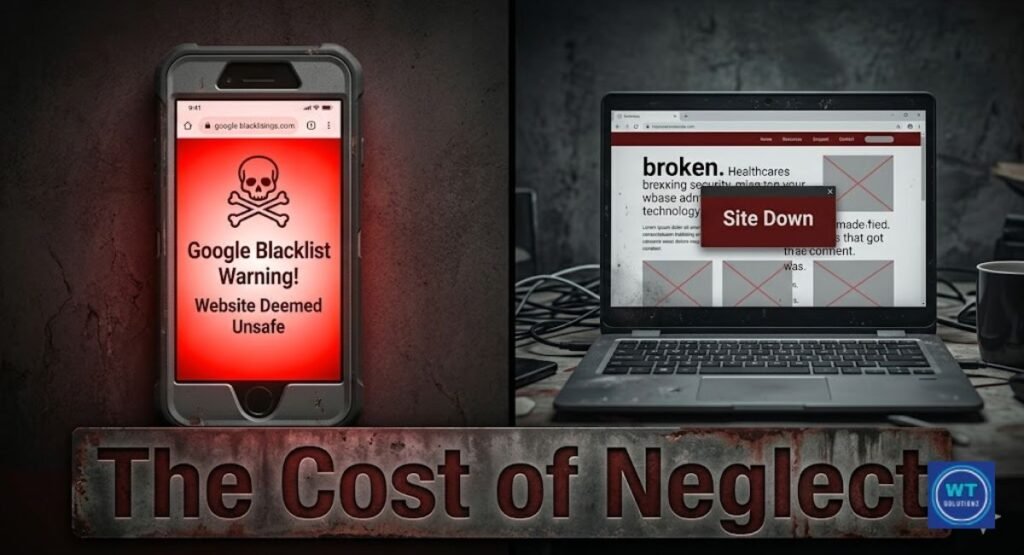
After a significant breach or tragedy, website recovery costs can surpass a year’s worth of maintenance expenses. Blacklisting on Google is really harmful.
Your search engine exposure is immediately removed if Google flags your website as hazardous. Remedial work, disavow filings, and human review requests may take months to recover from a blacklisting.
For a company that relies on organic traffic, the effects of SEO rankings alone can be disastrous. Preventing data loss through regular off-site backups and regular website security monitoring is essential to survival.
If your site gets stuck during a security update, you might need to know how to fix WordPress maintenance mode quickly to restore access
Choosing the Best WordPress Monthly Maintenance Package
It’s not difficult to select a WordPress maintenance plans cost that works for your company.
The first step is to genuinely evaluate what your website does, how many people use it, and how much it would cost you if it went down tomorrow. The final query is the most crucial one.
Whether your website directly generates cash through purchases, reservations, leads, or subscriptions, your maintenance plan must account for that level of accountability. A $29 initial subscription shouldn’t be necessary for a WooCommerce store making $10,000 per month. There is too much exposure.
However, a conventional idea can work effectively for a tiny local bakery website that primarily displays a menu and hours. Align the plan with the risk as well as the budget.
Questions to Consider Before Purchasing a Maintenance Plan for WordPress
Before signing up for any plan, ask these questions. They will keep you from paying too much for pointless services or making the incorrect purchase.
The right supplier will boldly and clearly address each of these. Evasive answers to direct questions are a red flag in this sector.
This is your decision-making checklist. Go through each one with integrity. Your answers will direct you to the right tier and enable more productive conversations with potential suppliers.
- Does my website produce leads or straight revenue?
- Do I accept online payments or manage WooCommerce?
- How much would it cost my company to have an hour of downtime?
- Do I possess the technical know-how to manage a site emergency by myself?
- Does my website handle or keep client information?
- How many people visit my website each month?
- When was the last time I updated WordPress core, themes, and plugins?
- Has my website ever been blocked or compromised?
- Does safe testing require a staging environment?
- What is the required response time for technical support?
| Business Type | Recommended Plan | Estimated Monthly Cost |
| Personal blog | Starter | $29–$49 |
| Local service business | Standard | $79–$129 |
| Small eCommerce store | Professional | $149–$249 |
| SaaS or membership site | Professional–Enterprise | $250–$500+ |
| Agency / multi-site | Enterprise / Custom | $500–$1,000+ |
| High-traffic media site | Enterprise | $500–$1,000+ |
Scalability is crucial as well. Your website won’t be the same in two years. Choose a supplier who can grow with you.
Upgrading from a beginner plan to a professional plan should be simple rather than challenging. Learn how potential providers handle scalability before committing.
The best suppliers foster long-term relationships in addition to transactional monthly invoicing.
See Also:
Does Maintenance Mode Affect SEO
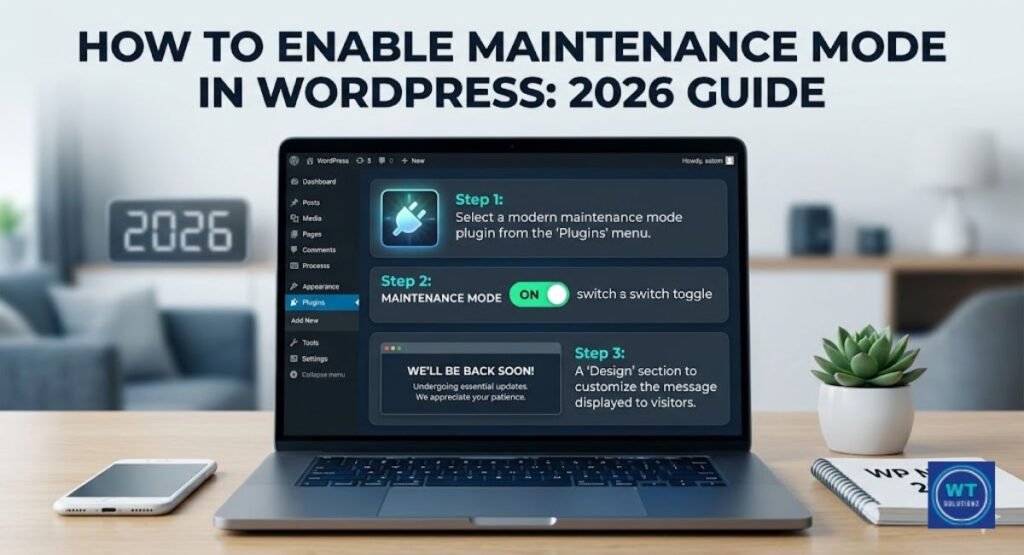
How to Enable Maintenance Mode in WordPress
FAQs:
What is the average WordPress website maintenance cost in 2026?
In the USA, the majority of monthly maintenance contracts cost between $29 and $299. Core upgrades and backups are included in basic plans. For large sites, enterprise maintenance services might cost more than $1,000 a month.
Are WordPress monthly maintenance plans worth the investment?
Yes, without a doubt, particularly if your website makes money. Any monthly plan subscription is greatly outweighed by emergency repair expenses and website outage losses. It’s among the best investments a small business website can make.
What should a standard WordPress monthly maintenance package include?
Core WordPress updates, theme and plugin updates, off-site backups, malware detection, and uptime monitoring are all included in a good subscription. A staging environment, database cleanup, and performance optimization are all included in higher-tier plans.
Can I maintain my WordPress site myself?
Yes, in theory, but it requires three to eight hours each month and is quite dangerous. Your entire website could crash with a single poor update. For the majority of business owners, professional maintenance yields a much higher return on investment (ROI).
What’s the difference between cheap and expensive WordPress plans?
Low-cost plans respond to issues. They are prevented by expensive plans. Budget plans just do not provide the proactive threat monitoring, staging environment, and formal service level agreement that higher-tier plans provide.
Do I need a maintenance plan if I have managed WordPress hosting?
Your server infrastructure is the only thing covered by managed WordPress hosting. Updates for plugins and themes, virus detection, and repairing broken links are not handled by it. Maintenance is housekeeping, and hosting is the structure. Both are necessary.
How often should WordPress be maintained?
Updates for plugins and themes need to occur once a week. Every day, malware should be scanned. Performance optimization and database cleanup are best done on a monthly basis. Every active business site should have daily off-site backups.
Which WordPress maintenance service is best for small businesses in the USA?
In the USA, WP Buffs, GoWP, and Maintainn are regularly rated as the best. All three provide robust website security monitoring and clear pricing. WP Buffs is distinguished by its dependable assistance and unambiguous service level agreement.
Summary
It all comes down to this. WordPress maintenance expenses in 2026 are an investment in your online business’s stability, security, and search engine visibility. You are protecting something that truly requires work and money to develop, whether you pay $500 a month for an enterprise package or $49 a month for a starter plan.
Ignoring your website is the most expensive option on our list. Any monthly membership would be significantly less expensive than the costs of future cyberattacks, lost SEO rankings, emergency repair fees, and website outages.
The companies that thrive online in 2026 will be those who consistently, proactively, and skillfully treat their websites with the valuable digital asset protection they deserve. You now know how much WordPress maintenance plans cost, what factors affect those costs, and how to choose the ideal package for your unique situation.
You need to take the next action. Put your site out of your thoughts and get back to running your business after choosing a tier that fits your risk, revenue, and growth goals. That is exactly what a well-thought-out maintenance plan makes possible.